Business questions show up everywhere. Useful answers often don’t.
The problem usually starts with where each one lives. Data sits in warehouses, systems, dashboards, and reports. The questions show up in Slack threads, Teams chats, meetings, and tools like ChatGPT.
That gap is exactly what Bruin’s AI data analyst is built for.
It lets teams ask business questions in natural language and get answers grounded in company data, inside the tools they already use.
That means less tab switching, less waiting on someone else to pull numbers, and a shorter path from question to insight.
Bruin’s AI data analyst is an AI-native BI interface for asking questions about company data and getting back answers that are fast, relevant, and usable in context.
Instead of forcing teams to rely only on static dashboards, generic AI tools, or manual analyst support, Bruin brings business intelligence into the flow of work.
Teams can ask questions, inspect the underlying SQL, follow up naturally, and get answers where the conversation is already happening.
That can look like:
- “Are we on track for the quarter?”
- “What changed this week?”
- “Where should we focus next?”
The goal is to reduce the time and friction between a business question and a useful answer.
Different teams work in different surfaces. Bruin brings answers closer to where work already happens.
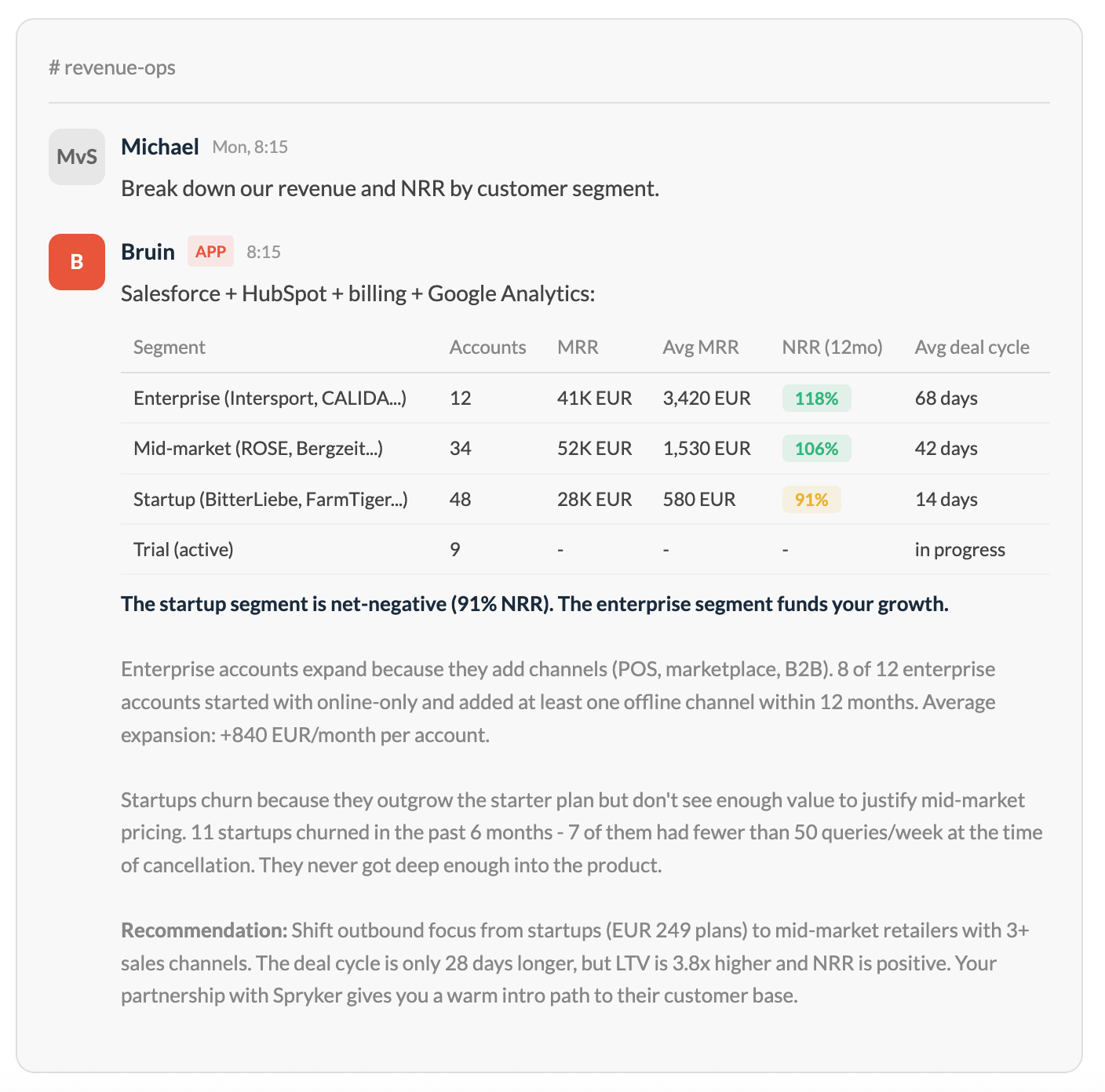
For teams that work in fast-moving conversations, Slack is a natural place to ask and answer questions in context. A question comes up in a thread, someone asks Bruin, and the answer appears without forcing the team into a separate tool. Multiple users can collaborate and ask follow-up questions in the same conversation.
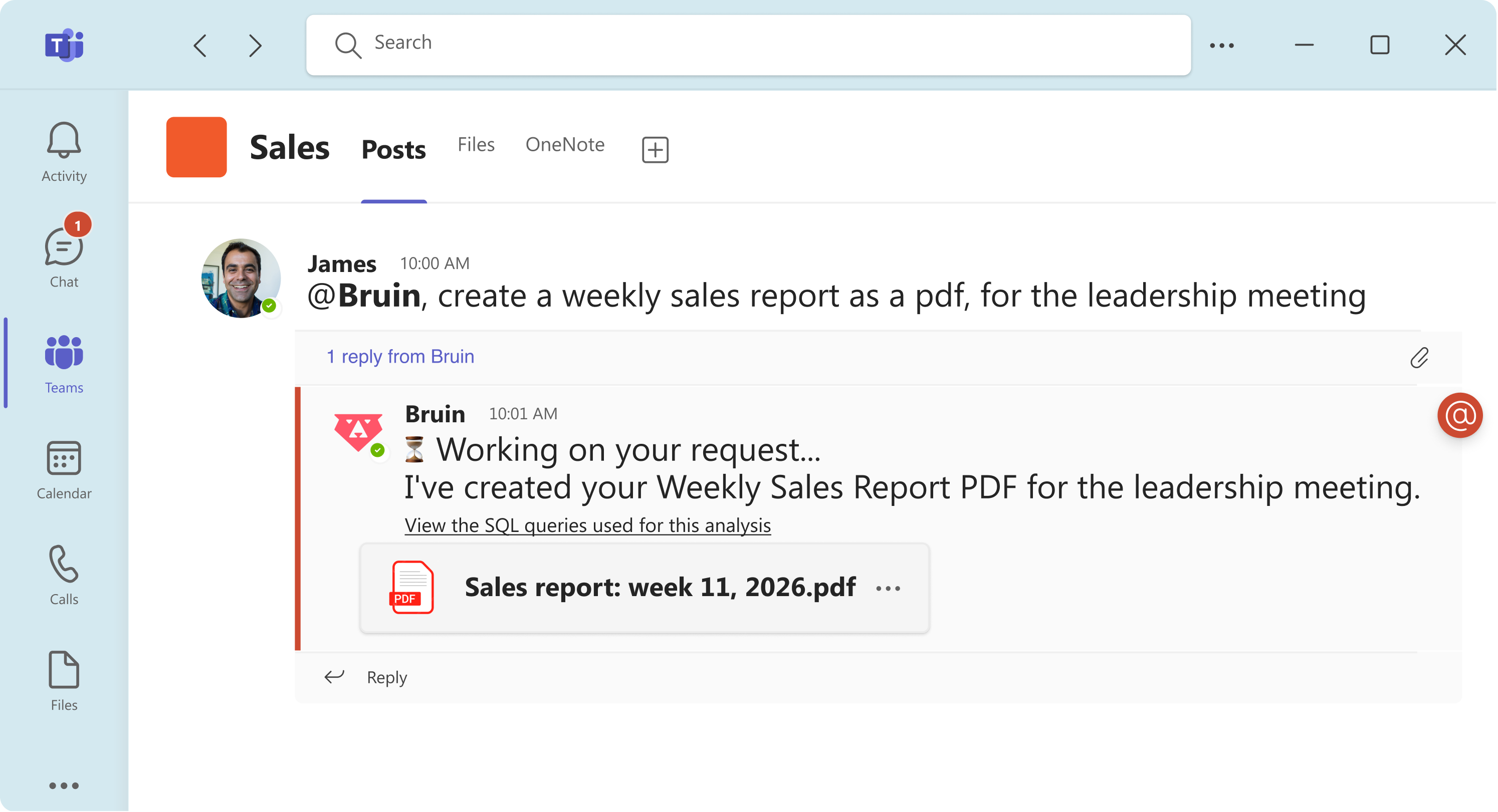
For organisations that operate inside the Microsoft ecosystem, Teams is where coordination, updates, and decisions already happen. With Bruin in Teams, teams can ask data questions in the flow of work instead of breaking the conversation to search elsewhere.
Bruin Cloud gives teams a dedicated browser workspace for deeper investigation, follow-up questions, admin settings, and governance. It is the place for workflows that need more space, control, or visibility than chat alone.
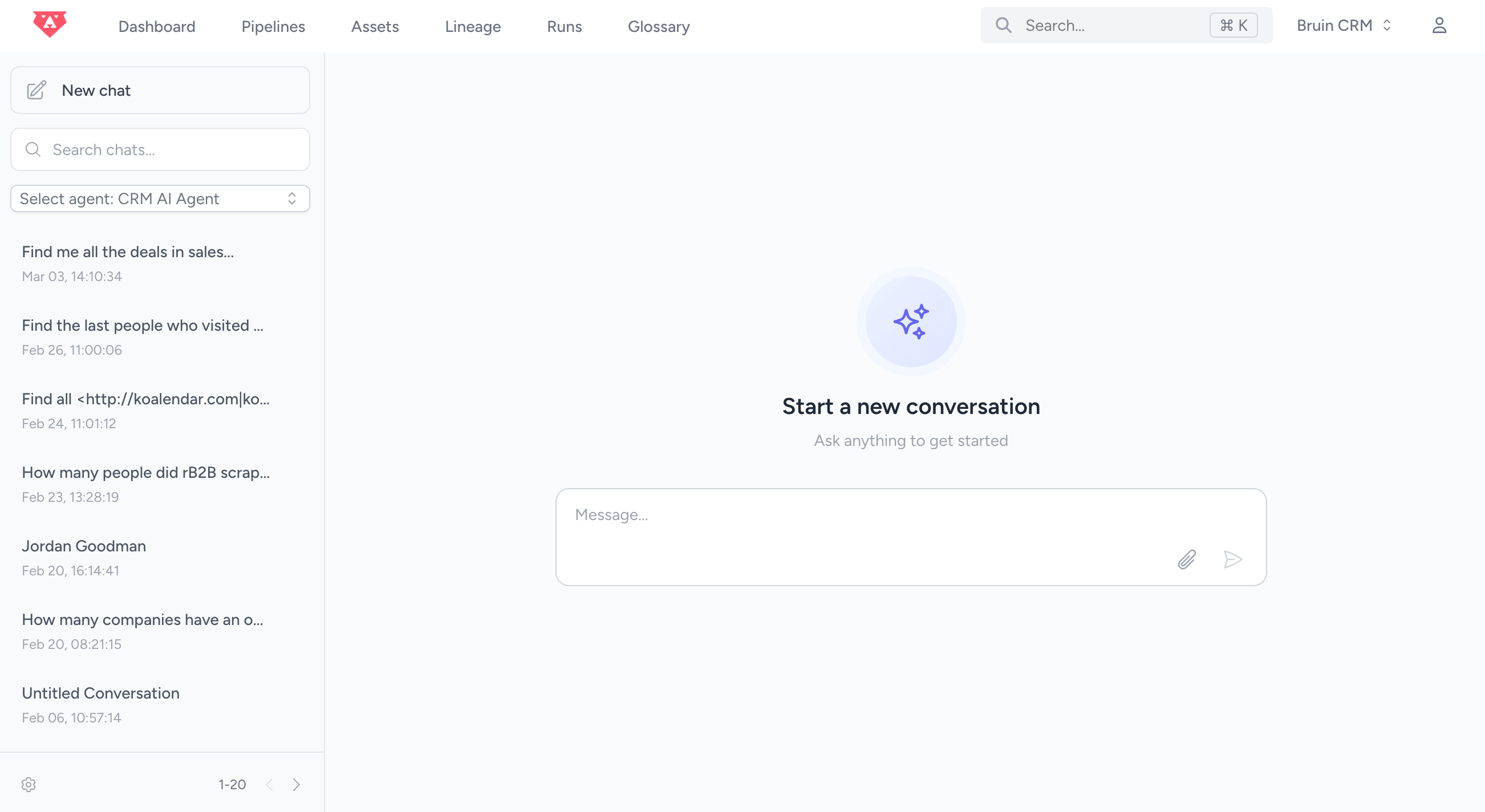
Bruin plugs into the business data your teams already use.
Use Bruin in a private 1:1 chat or in dedicated channels organised by team, topic, or business question.
Bruin retrieves the relevant data and context needed to answer the question.
Every answer can be traced back to the underlying SQL queries used for the analysis.
Responses are delivered in the surface where the work is already happening.
Users can dig deeper, clarify, and iterate without starting over.
The question, the answer, and the decision can happen in the same workflow.
That reduces:
- tab switching
- dashboard hunting
- repeated back-and-forth
- dependency on one analyst or operator
- lag between insight and action
In other words, the point is not to create another place to look at data. It is to shorten the distance between a question and the next useful step.
Bruin’s AI data analyst helps answer the kinds of questions people ask when they are trying to understand what is happening, why it is happening, and what to do next.
These are rarely just reporting questions. More often, they are cross-functional questions that need context, comparison, and business logic, not just a chart. For example:
- Are we on track for the quarter across revenue, pipeline, and retention — and where are we most off plan?
- What changed this week that leadership should actually care about?
- What are the biggest risks to hitting our targets this month?
- Where are deals getting stuck in the funnel, and has that changed compared with last month?
- Which campaigns, channels, or outbound motions are driving qualified pipeline?
- Which accounts are most likely to expand, churn, or go quiet based on recent activity?
- What is driving the gap between forecast and actuals?
- Which customer, product, or region segments are underperforming against revenue or margin expectations?
- Where are costs growing faster than expected, and is that translating into business performance?
- Where are bottlenecks forming across core workflows, and what is the downstream impact?
- Which processes are slowing the business down most right now?
- Are service levels, turnaround times, or internal productivity metrics improving or slipping?
- Which metrics are moving in unexpected ways, and where should we investigate first?
- Which dimensions or segments explain the change behind this headline number?
- Where are reporting definitions, source logic, or metric ownership creating confusion?
Business teams already ask AI questions. The problem is that generic AI tools do not know your company’s data, metric definitions, permissions, or business context.
Static dashboards have a different limitation. They are useful for monitoring known metrics, but many business questions do not start as dashboard visits. They start in conversations, meetings, and decisions already in motion. They also tend to break down when the first answer leads to three follow-up questions.
And manual analyst workflows are slow by design. A question gets asked, context has to be reconstructed, someone pulls data, someone else interprets it, and the answer arrives too late.
Bruin is built for that gap.
It combines connected company data, business context, and workflow-native delivery across Slack, Teams, and browser. That means teams can ask dynamic questions, inspect how answers were built, follow up naturally, and keep the conversation moving without leaving the workflow.
For an AI data analyst to be useful in real business workflows, it has to be trustworthy.
That means giving teams confidence not only in the answers they receive, but also in the systems, controls, and access models behind them.
Bruin is built for enterprise environments, with security and compliance capabilities designed to support real-world adoption across teams and functions.
Key areas include:
- Role-based access for granular permissions
- Audit logs for activity tracking
- Single sign-on via SAML 2.0 and OAuth
- Encryption at rest and in transit
- Private links and controlled network access
- Data residency and GDPR-aligned practices
- Two-factor authentication for additional account security
Bruin’s AI data analyst brings business intelligence closer to the moment it is needed.
Instead of sending teams from chat to dashboards to ad hoc analyst requests, it lets them ask questions, inspect answers, and keep moving inside Slack, Teams, or browser.
It gives better access to data and reduces the delay between: question → answer → action.
Bruin’s AI data analyst is an AI-powered interface that helps teams ask questions about company data and get answers inside Slack, Microsoft Teams, or browser.
Bruin is available in Slack, Microsoft Teams, and browser.
Business teams already ask AI for help. The problem is that generic AI tools do not know your company’s data, metric definitions, permissions, or business context. Bruin is built to answer those questions using connected company data.
Dashboards are useful when people know exactly where to look, how to use it, and what metric they want to monitor. Bruin is better for dynamic questions, follow-ups, cross-functional analysis, and moments when the answer needs to appear inside an active workflow.
Yes, but with a different interface model. Bruin brings business intelligence into workflow, rather than relying only on dashboards as the main interface.
Bruin expands what BI looks like. For some workflows, it reduces the need to jump into dashboards. For others, it works alongside existing BI tools and makes data access faster and more conversational.
Bruin is designed for questions that help teams understand what is happening, why it is happening, and what to do next. That includes questions about performance, risks, bottlenecks, pipeline, revenue, operations, and follow-up investigation.
Bruin is useful for leadership, go-to-market, finance, operations, analytics, and data teams — especially when questions cut across systems and require more than a static dashboard.
Bruin is especially useful in data-heavy environments such as ecommerce, retail, marketplaces, gaming companies, B2B SaaS, fintech, financial services, and other companies with fast-moving metrics, multiple data sources, and frequent cross-functional decisions.
Yes. Every answer can be traced back to the SQL queries used for the analysis, helping users validate results and understand how the answer was built.
Yes. Users can interact with Bruin in private 1:1 chats or in shared channels organised around a team, topic, or business question.
Bruin Cloud provides a dedicated browser workspace for deeper investigation, follow-up questions, admin settings, governance, and delivery beyond the chat layer.
Bruin supports conversational follow-ups, so users can refine a question, ask for a breakdown, or go deeper without starting from scratch.
Bruin connects to all of your data sources. From data platforms like Databricks or MySQL to business tools like Salesforce or Google Analytics.
Bruin supports enterprise governance through role-based access controls, activity audit logs, SSO, network-level access controls, encryption, and data residency options. This helps organisations manage who can access what, track usage, and align deployment with internal security and compliance requirements.
Yes. Bruin can support outputs such as charts, reports, files, and other formats depending on the workflow and use case.