Bruin Academy
Beginner10 min
Connect Databricks to Bruin with Per-User OAuth
Create a Databricks OAuth app, register it in Bruin, and let every user query as themselves — with their own Unity Catalog permissions enforced.
Query as yourself
With per-user OAuth, Bruin never shares a single service credential across your team. Each user authorizes with their own Databricks identity, so every query runs with that user's Unity Catalog grants — nothing more, nothing less.
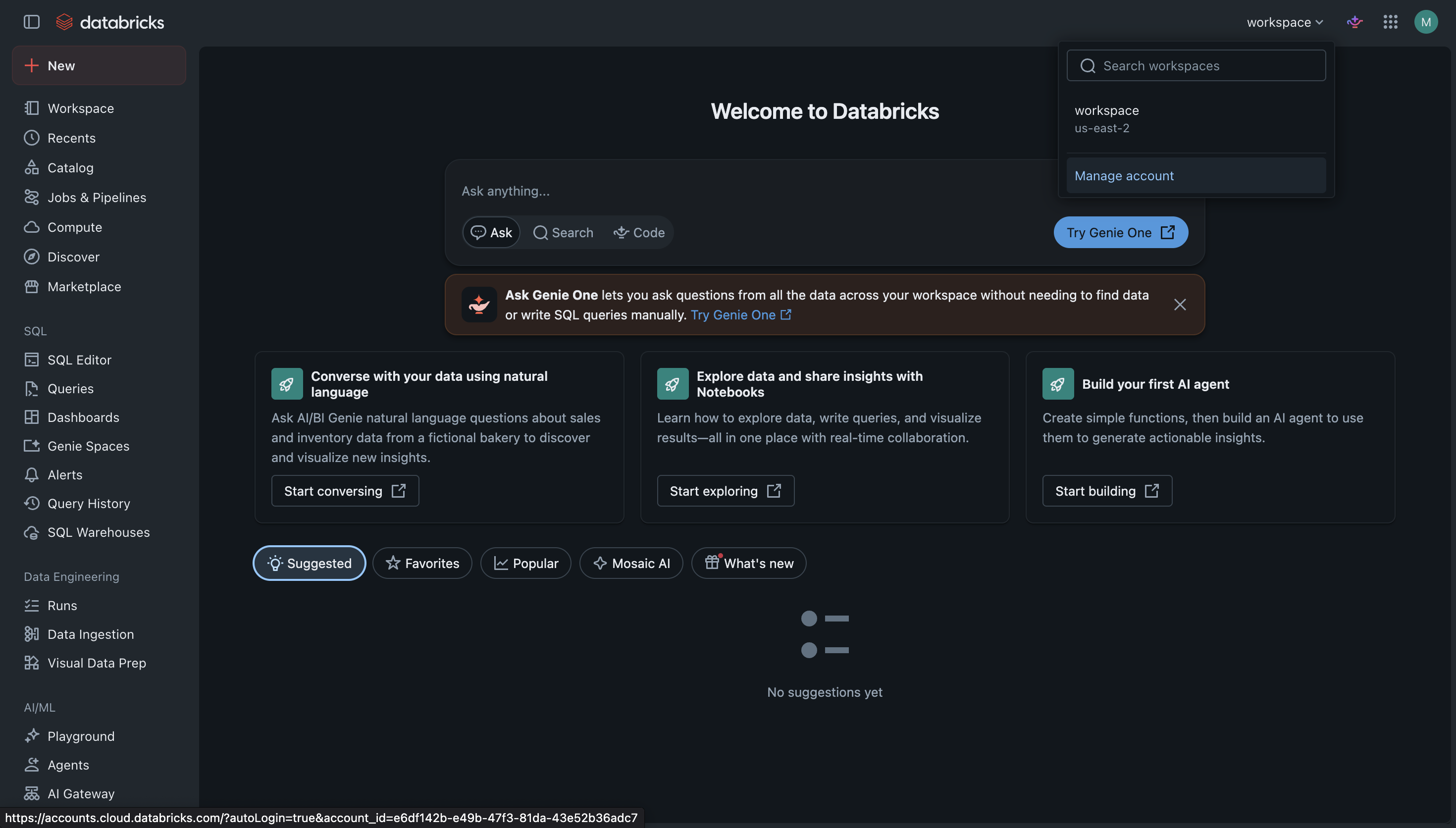
Step 1 of 13Open the Databricks account console
1
Open the Databricks account console
In your Databricks workspace, click the workspace switcher in the top-right corner and select "Manage account". OAuth apps are created at the account level, not inside a workspace.
You need Databricks account admin permissions to create OAuth app connections.