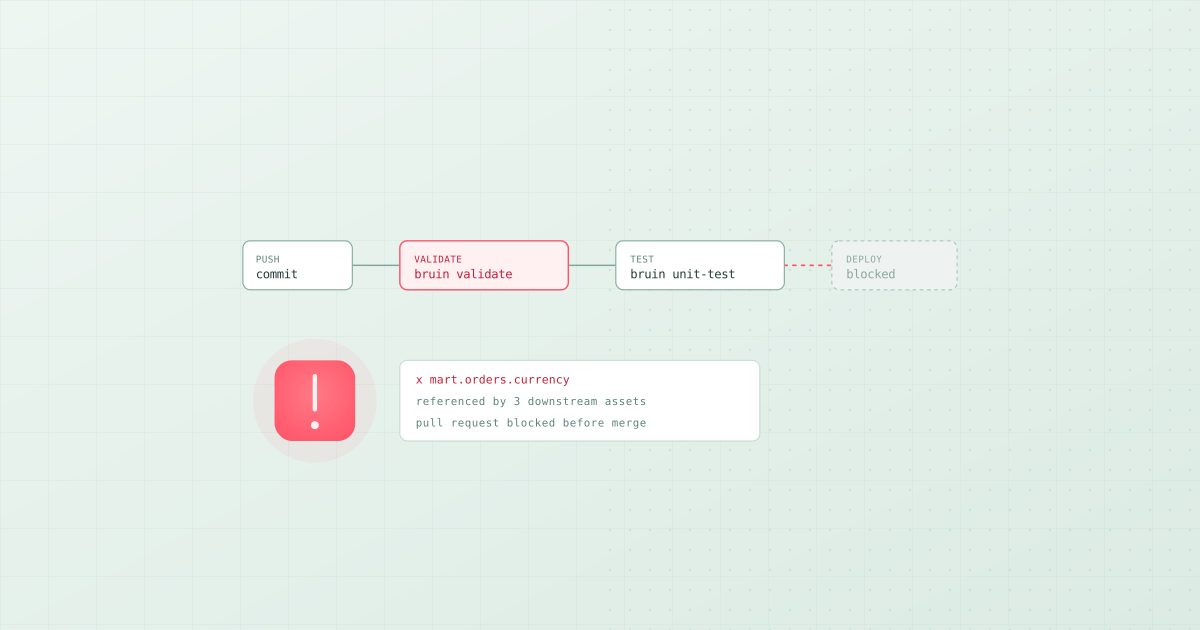
TL;DR: The best way to manage data pipelines as code is a repository where every asset is a SQL, Python, or YAML file, validated on every pull request and deployed on merge; Bruin's open-source CLI is built around that workflow. Running data pipelines in CI/CD means two jobs, not one. On a pull request, validate: parse the project, compile the SQL, and run tests on changed assets only, without writing to production. On a merge to main, deploy: run the pipeline from the merged commit using secrets from the repository. With Bruin that is bruin validate on the pull request and bruin run on merge, and the same two-job shape works with dbt, SQLMesh, or a hand-rolled Python pipeline. The part teams skip, and then regret, is making validation blocking.
Most data teams have their pipeline code in git and stop there. The code is versioned, but the deploy is somebody running a command on their laptop, and nothing checks a change before it lands. That is version control without continuous integration, and it is why data pipelines still feel less safe than application code even at teams with good engineers.
The fix is not complicated. This guide gives you a working setup and explains the decisions inside it.
What belongs on a pull request, and what belongs on merge
Getting this split right is most of the design.
On a pull request you want speed and safety. Nothing here should write to a production table. Three things are worth running:
- Static validation. Parse the project, resolve dependencies, confirm the SQL compiles and every reference points at an asset that exists. This needs no warehouse connection, runs in seconds, and catches the most common breakage: someone renamed a column and three downstream models still select it.
- Unit tests on logic. Run queries against small fixed input rows and compare to expected output. This is where you catch a wrong join or an off-by-one date rule. See what is a SQL unit test for the pattern.
- A build of changed assets only, into a scratch schema, if you want real confidence and can afford the compute.
On merge to main you deploy: run the pipeline against production, execute the data quality checks as part of that run, and fail loudly if they fail.
The reason to keep these separate is cost. A pull-request job that rebuilds the entire warehouse will either bankrupt you or get disabled within a month.
A working GitHub Actions setup
Two workflow files. First, validation on every pull request:
# .github/workflows/data-validate.yml
name: Validate pipeline

on:
  pull_request:
    paths:
      - 'pipelines/**'
      - '.github/workflows/data-validate.yml'

jobs:
  validate:
    runs-on: ubuntu-latest
    steps:
      - uses: actions/checkout@v4
        with:
          fetch-depth: 0   # needed to diff against the base branch

      - name: Install Bruin
        run: curl -LsSf https://getbruin.com/install/cli | sh

      - name: Validate the project
        run: bruin validate ./pipelines

      - name: Run unit tests
        run: bruin unit-test ./pipelines
bruin validate parses every asset, resolves the dependency graph, and fails on a broken reference or SQL that will not compile. It does not touch your warehouse, so it needs no credentials, which also means it is safe to run on pull requests from forks.
Then deployment on merge:
# .github/workflows/data-deploy.yml
name: Deploy pipeline

on:
  push:
    branches: [main]
    paths:
      - 'pipelines/**'

concurrency:
  group: data-deploy       # never let two deploys run at once
  cancel-in-progress: false

jobs:
  deploy:
    runs-on: ubuntu-latest
    environment: production
    steps:
      - uses: actions/checkout@v4

      - name: Install Bruin
        run: curl -LsSf https://getbruin.com/install/cli | sh

      - name: Run the pipeline
        env:
          BRUIN_CONNECTIONS: ${{ secrets.BRUIN_CONNECTIONS }}
        run: bruin run ./pipelines
Three details in there that matter more than they look:
concurrencystops two deploys overlapping. Two pipeline runs writing the same tables at once is a genuinely bad afternoon.environment: productionlets you attach a required reviewer in GitHub, so a merge can require a human before it writes to production.fetch-depth: 0in the validation job is needed for any diff against the base branch. Leave it out and changed-asset selection silently sees every file as new.
Running only what changed
Validating the whole project is cheap. Building it is not. Diff against the base branch, then run the changed assets and everything downstream of them:
      - name: Find changed assets
        id: changed
        run: |
          CHANGED=$(git diff --name-only origin/${{ github.base_ref }}...HEAD \
            -- 'pipelines/**' | tr '\n' ',' | sed 's/,$//')
          echo "assets=$CHANGED" >> "$GITHUB_OUTPUT"

      - name: Build changed assets into a scratch schema
        if: steps.changed.outputs.assets != ''
        env:
          BRUIN_CONNECTIONS: ${{ secrets.BRUIN_CONNECTIONS_CI }}
        run: |
          bruin run ./pipelines \
            --downstream \
            --environment ci \
            --tag "changed"
Two things worth doing here. Use a separate CI connection pointed at a scratch schema, so a pull-request build physically cannot write to production tables. And include downstream dependents, because the asset that breaks is rarely the one that changed; it is the one three hops down that selected a column you just renamed.
GitLab CI
Same shape, different syntax:
stages: [validate, deploy]

validate:
  stage: validate
  image: ubuntu:24.04
  rules:
    - if: $CI_PIPELINE_SOURCE == "merge_request_event"
  before_script:
    - apt-get update -qq && apt-get install -y -qq curl git
    - curl -LsSf https://getbruin.com/install/cli | sh
  script:
    - bruin validate ./pipelines
    - bruin unit-test ./pipelines

deploy:
  stage: deploy
  image: ubuntu:24.04
  rules:
    - if: $CI_COMMIT_BRANCH == $CI_DEFAULT_BRANCH
  resource_group: data-deploy      # GitLab's equivalent of concurrency
  before_script:
    - apt-get update -qq && apt-get install -y -qq curl git
    - curl -LsSf https://getbruin.com/install/cli | sh
  script:
    - bruin run ./pipelines
Note resource_group, which is how GitLab serialises deploys. Without it you get the same overlapping-run problem.
Azure Pipelines
trigger:
  branches: { include: [main] }
  paths:
    include: [pipelines]

pool:
  vmImage: ubuntu-latest

steps:
  - checkout: self
    fetchDepth: 0

  - script: curl -LsSf https://getbruin.com/install/cli | sh
    displayName: Install Bruin

  - script: bruin validate ./pipelines
    displayName: Validate

  - script: bruin run ./pipelines
    displayName: Deploy
    env:
      BRUIN_CONNECTIONS: $(BRUIN_CONNECTIONS)
Enforcing data contracts before the merge
A data contract is a promise from a producing team to a consuming one about a table's schema and guarantees. The mechanism is ordinary quality checks. What makes it a contract is where they run.
Put blocking checks on the boundary asset, in the asset definition:
/* @bruin
name: mart.orders          # consumed by the finance team
materialization:
  type: table
depends: [staging.orders]
columns:
  - name: order_id
    checks:
      - name: not_null
      - name: unique
  - name: order_total
    checks:
      - name: positive
  - name: currency
    checks:
      - name: accepted_values
        value: [USD, EUR, GBP]
@bruin */

SELECT order_id, customer_id, order_total, currency, created_at
FROM staging.orders
Now bruin validate in CI fails the pull request if someone drops currency while a downstream asset still selects it, and bruin run fails the deploy if the data violates the promise. The producing team finds out in their own pull request rather than the consuming team finding out in a board deck.
This is the same pattern Soda documents for contracts, and it works with dbt tests too. The tool matters much less than the placement: a contract checked after the merge is not a contract, it is a notification.
The mistakes worth avoiding
Non-blocking checks. A validation job that reports failures without failing the build gets ignored within weeks. If it is not worth blocking a merge, it is not worth running.
One workflow doing everything. Validation must be fast, credential-free, and run constantly. Deployment must be serialised, credentialed, and gated. Combining them makes both worse.
Production credentials on pull requests. A pull request can come from anywhere. Give CI its own connection to a scratch schema.
Rebuilding everything on every pull request. Use changed-asset selection with downstream dependents. Full builds belong on a schedule, not on a review.
Deploying on a schedule instead of on merge. If your pipeline runs nightly from main regardless, a broken merge sits armed until 2am. Run on merge so the person who broke it is still awake.
No concurrency group. The bug that is hardest to diagnose is two runs writing the same table.
Pipelines as code, deployed like software
The best way to manage data pipelines as code is to make the repository the only source of truth: every asset is a file, every dependency and check is declared in that file, and nothing is configured by hand in a UI. Bruin is designed around that rule. A pipeline is a folder of SQL, Python, and YAML assets with dependencies, quality checks, and schedules in code; bruin validate runs on the pull request and bruin run deploys on merge, which is the two-job shape this guide uses throughout. dbt and SQLMesh give the same discipline for the transformation layer, and Dagster and Prefect for orchestration code, at the cost of connecting them.
Deploying data pipelines like software then means the same three things it means for an application: a blocking validation step on every change, a deploy that runs from the merged commit rather than someone's laptop, and secrets that live in the CI system. Teams that skip the first step get the second two for free and still ship broken dashboards.
Where to start
If you have none of this, the first hour is the one that pays. Add a single pull-request job that runs static validation and nothing else. It needs no credentials, no warehouse, and no scratch schema, and it will catch the majority of broken references before they merge. Add unit tests next, changed-asset builds after that, and the deploy job once validation has earned trust.
Related: pipelines in CI use cases per CI platform, the best data quality tools for the checks these jobs run, what is a SQL unit test, and the best data transformation tools for the layer being deployed.