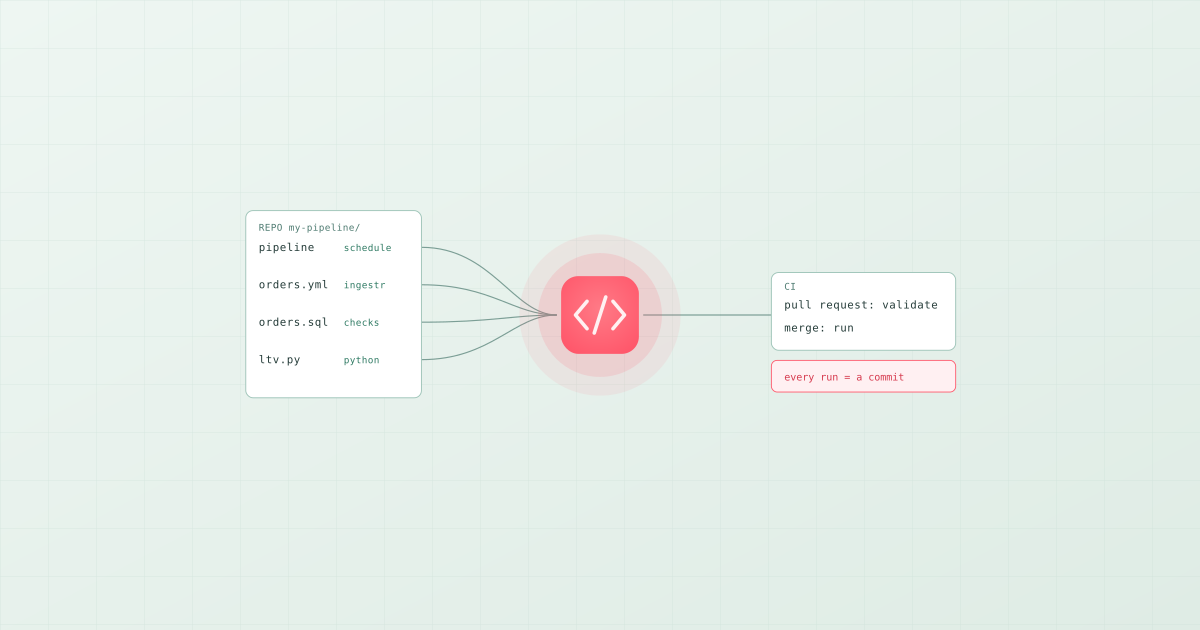
Pipelines as code means every part of a data pipeline exists as a file in a version-controlled repository: the loads, the SQL and Python transformations, the quality checks, the schedule, and the metadata that documents them. Changes go through pull requests, the whole project is validated before it merges, and production runs from the merged commit. It is the practice software teams have used for twenty years, applied to data, and it replaces the alternative most data teams inherit: pipelines configured by hand in a UI, edited in place, and reconstructed from memory when they break. Bruin is built entirely around this model; dbt applies it to the transformation layer; Dagster applies it to Python-defined assets.
What belongs in the repository
Everything that would have to be recreated if the platform disappeared:
| Part | As code | Not as code |
|---|---|---|
| Loads | An ingestion asset that names source, destination, and incremental strategy | A connector configured by clicking through a UI |
| Transformations | SQL and Python files with declared dependencies | Saved queries in a warehouse console |
| Quality checks | Checks declared on the columns of the asset that produces them | A separate monitoring tool's rules |
| Schedule | A pipeline.yml with the cadence and notifications | A cron entry on a server someone owns |
| Documentation | Descriptions, owners, and tags on the assets | A wiki page |
| Secrets | References to secrets stored in the CI system or a vault | Passwords in the files |
The test is simple: could a new engineer clone the repository and run the whole pipeline against a development warehouse? If any step requires "and then go to the console and set up X", that step is not yet code.
What a pipeline looks like as code
In Bruin, a pipeline is a directory with a pipeline.yml and an assets/ folder. Each asset is a file whose header declares what it is and what it depends on:
my-pipeline/
├─ pipeline.yml
└─ assets/
   ├─ raw/orders.asset.yml        # ingestr load from Postgres
   ├─ mart/orders.sql             # SQL model with checks
   └─ mart/customer_ltv.py        # Python asset with checks
# pipeline.yml
name: analytics-daily
schedule: "@daily"
start_date: "2026-09-01"
notifications:
  slack:
    - channel: "#data-alerts"
      failure: true
bruin run ./pipeline.yml resolves the dependency graph from the assets' declared dependencies and the SQL Bruin parses, then runs loads, models, and checks in order. The same command runs on a laptop, in CI, and in production, which is the property that makes the rest of the practice possible.
The two jobs that make it work
Pipelines as code without CI is just files in a folder. The practice comes from two automated jobs.
On a pull request: validate. Parse the project, compile the SQL, apply any policy rules, and run the checks against a development target without writing to production. In Bruin:
bruin validate ./pipeline.yml
bruin run ./pipeline.yml --environment dev
Validation catches the broken dependency, the missing check, and the removed column that a downstream asset still reads. The run against a development connection executes the quality checks on real data. Either failing blocks the merge. That is the part teams skip and then regret: validation has to be blocking, or it is a suggestion.
On merge to main: deploy. Run the pipeline from the merged commit with production connections stored as secrets in the CI system. Nothing is edited on a server, and every production run traces to a commit and a reviewer. In GitHub Actions the two jobs are about twenty lines; the full workflow, plus the GitLab and Azure Pipelines versions, is in how to run data pipelines in CI/CD with GitHub Actions.
What you get
- Review. Every change to a metric definition, a load, or a check is a diff someone reads before it ships.
- Rollback. A bad change is a
git revert, not a reconstruction. - Reproducibility. A pipeline that runs from a commit runs the same way on any machine, which is also what lets an AI coding agent build and repair it: text files an agent can read, run, and test.
- Lineage and documentation for free. When the definitions are code, the dependency graph and the catalog are derived from them rather than maintained beside them.
Where the practice thins out
Pipelines as code covers whatever the framework defines. In a dbt-only setup that is the transformation layer, with ingestion and scheduling configured elsewhere. In an orchestrator-first setup such as Dagster or Airflow, the schedule and Python are code and the SQL and loads are often not. The reason Bruin keeps ingestion, transformation, checks, and schedule in one project is that the practice only delivers its full value when every part of the pipeline is in the repository together. For how to build that first project, see how to build your first ELT pipeline with SQL and Python.