TL;DR: A first ELT pipeline has four parts: a load from a source into a warehouse, SQL models on the landed table, Python for what SQL cannot do, and checks and a schedule to keep it honest. This guide builds all four as one Bruin project in about ten minutes: bruin init frankfurter gives you a working pipeline that pulls exchange rates from a public API into DuckDB, you add a Python asset and quality checks, and bruin run executes the whole graph. Nothing to provision, nothing to pay for. When it works, change one connection in .bruin.yml and the same pipeline runs on Snowflake, BigQuery, or Databricks.
"How do I build my first data pipeline" gets answered with architecture diagrams more often than with a command that works. This is the command that works. It uses Bruin, our open-source CLI, because it runs ingestion, SQL, Python, and checks from one project, which means a first pipeline does not start with wiring three tools together. The pattern transfers: the same four parts exist in every stack, and the section at the end maps them to dbt, dlt, and Airflow if that is where you end up.
Step 1: Define your data ingestion source
Install the CLI and create the project from a template:
curl -LsSf https://getbruin.com/install/cli | sh
bruin init frankfurter my-first-pipeline
cd my-first-pipeline
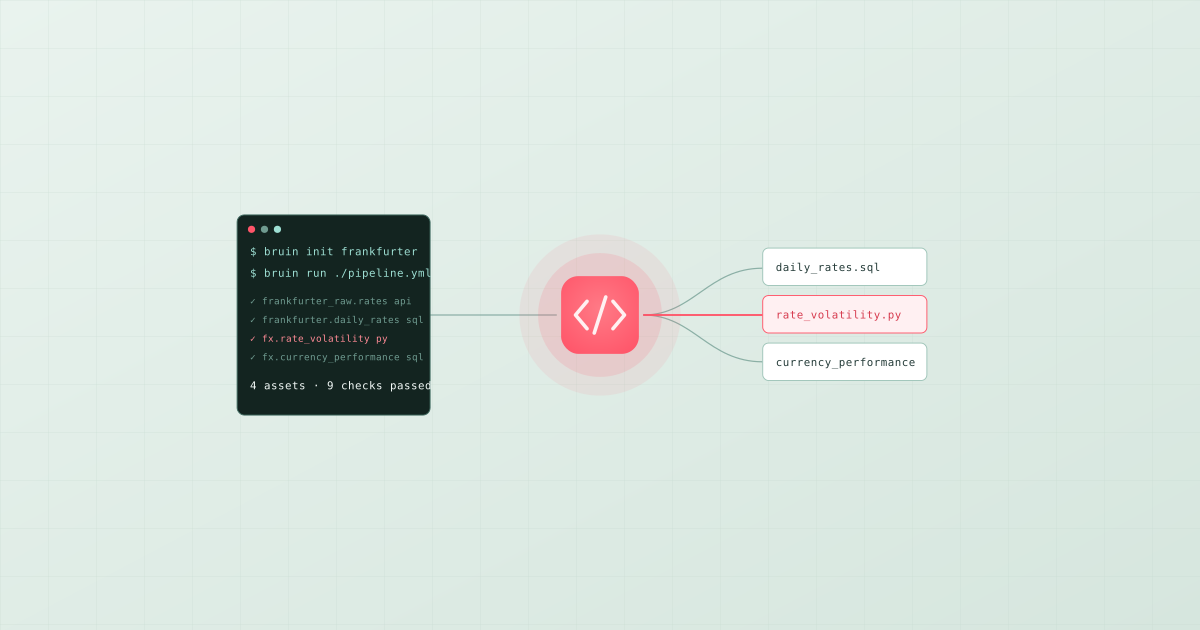
The template is a complete pipeline against the Frankfurter API, a free public source of daily exchange rates. It contains five assets: two ingestr assets that copy the raw rates and the currency list into DuckDB, and three SQL assets that model them. The ingestion asset is a YAML file:
# assets/frankfurter_raw/rates.asset.yml
name: frankfurter_raw.rates
type: ingestr
parameters:
  source_connection: frankfurter
  source_table: exchange_rates
  destination: duckdb
That is the whole load. source_connection names a connection in .bruin.yml, source_table names the API resource, and destination names the warehouse type. ingestr, Bruin's open-source ingestion CLI, does the work of calling the API, handling schema, and writing the table. Swapping the source for Postgres, Shopify, Stripe, or Google Sheets is a different source_connection and source_table, not different code. For a source that runs on a schedule, add an incremental strategy so later runs move only new rows:
materialization:
  type: table
  strategy: append
  incremental_key: date
The template's .bruin.yml already declares a DuckDB connection that writes a local file, so there is nothing to configure yet. Run the load:
bruin run assets/frankfurter_raw/rates.asset.yml
Then the whole pipeline, which resolves the dependency graph and runs the loads before the models that read them:
bruin run ./pipeline.yml
You now have raw exchange rates in a local warehouse and three modelled tables on top. Ten minutes in, the first pipeline exists.
Step 2: Implement SQL and Python transformations in one project
The template's SQL assets show the shape of a transformation in Bruin: a SQL file with a header that names the asset, declares its dependencies, and says how to materialise it.
/* @bruin
name: frankfurter.daily_rates
type: duckdb.sql
depends: [frankfurter_raw.rates]
materialization:
  type: table
@bruin */

SELECT date, currency, rate
FROM frankfurter_raw.rates
-- the template fills gaps for weekends and public holidays here
The dependency graph comes from the depends list and the SQL Bruin parses, so the model runs after its source and lineage exists without anyone drawing it.
Now the part most tutorials skip: Python in the same pipeline. Some transformations are awkward in SQL, such as calling an external library, fitting a small model, or reshaping data in ways window functions make painful. A Python asset is a .py file with the same kind of header and a materialize function:
"""@bruin
name: fx_insights.rate_volatility
type: python
connection: duckdb-default
depends: [frankfurter.daily_rates]
materialization:
  type: table
  strategy: replace
columns:
  - name: currency
    type: string
    checks:
      - name: not_null
      - name: unique
  - name: volatility_30d
    type: float
    checks:
      - name: non_negative
@bruin"""

import pandas as pd
from bruin import query


def materialize():
    rates = query("SELECT date, currency, rate FROM frankfurter.daily_rates")
    rates["date"] = pd.to_datetime(rates["date"])
    recent = rates[rates["date"] >= rates["date"].max() - pd.Timedelta(days=30)]
    volatility = (
        recent.groupby("currency")["rate"]
        .agg(lambda s: s.pct_change().std())
        .reset_index(name="volatility_30d")
    )
    return volatility
materialize can return a pandas or polars dataframe, a PyArrow table, a list of dicts, or a generator that yields dicts or PyArrow tables. Bruin loads the result into the warehouse as fx_insights.rate_volatility, applying the replace strategy on each run. Dependencies for the Python environment come from a pyproject.toml with uv.lock or a requirements.txt in the asset's folder, and Bruin installs them in an isolated environment per asset. A SQL asset downstream can now read fx_insights.rate_volatility as if any SQL model had produced it:
/* @bruin
name: fx_insights.currency_performance
type: duckdb.sql
depends: [frankfurter.daily_rates, fx_insights.rate_volatility]
materialization:
  type: table
@bruin */

SELECT r.currency, r.rate AS latest_rate, v.volatility_30d
FROM frankfurter.daily_rates r
JOIN fx_insights.rate_volatility v USING (currency)
WHERE r.date = (SELECT max(date) FROM frankfurter.daily_rates)
That is SQL and Python in one project: one dependency graph, one command to run it, one place lineage and checks apply. There is no separate Python job to schedule or hand-off table to document.
Step 3: Automate and validate pipeline quality
A pipeline nobody trusts is a pipeline nobody uses. The Python asset above already declares checks on its columns; add the same to the SQL models. Checks live on the column, inside the asset that produces it:
/* @bruin
name: frankfurter.daily_rates
type: duckdb.sql
depends: [frankfurter_raw.rates]
materialization:
  type: table
columns:
  - name: date
    type: date
    checks:
      - name: not_null
  - name: currency
    type: string
    checks:
      - name: not_null
      - name: pattern
        value: "^[A-Z]{3}$"
  - name: rate
    type: float
    checks:
      - name: positive
custom_checks:
  - name: rates are recent
    query: SELECT max(date) >= current_date - interval '3 days' FROM frankfurter.daily_rates
    value: 1
@bruin */
bruin run executes the checks with the asset. Every check is blocking by default: a failure stops the downstream assets, so a bad load never reaches currency_performance or a dashboard built on it. A check you want to observe without stopping the pipeline gets blocking: false. The built-in column checks cover nulls, uniqueness, sign, accepted values, patterns, thresholds, and referential integrity; custom_checks take any SQL, which is how the freshness check above works. Data quality and testing strategies for modern pipelines goes deeper on which checks to add first.
Before any run, bruin validate ./pipeline.yml parses every asset, resolves the graph, and applies any rules in policy.yml, so a broken dependency or a missing check fails locally and in CI rather than in production.
Scheduling and alerts. The schedule lives in pipeline.yml:
name: my-first-pipeline
schedule: "@daily"
start_date: "2026-09-01"
notifications:
  slack:
    - channel: "#data-alerts"
Locally, bruin run on a cron or a GitHub Actions workflow is enough for a first pipeline; the CI/CD guide has the workflow file. Bruin Cloud runs the same project on the schedule with retries, backfills, lineage, and a catalog, and routes failures to Slack or Microsoft Teams, when you no longer want to own a scheduler.
Step 4: Point it at your warehouse
DuckDB was the training ground. The production version is the same project with a different connection. Add the warehouse to .bruin.yml:
connections:
  snowflake:
    - name: snowflake-default
      account: xy12345.eu-central-1
      username: pipeline
      password: ${SNOWFLAKE_PASSWORD}
      database: analytics
      warehouse: transform_xs
      role: transformer
Then change the ingestr asset's destination to snowflake, and the SQL assets' type from duckdb.sql to sf.sql. The Python asset's connection points at snowflake-default. Run bruin run ./pipeline.yml and the loads land in Snowflake, the SQL models run inside Snowflake, and the Python asset writes its table there. BigQuery is bq.sql with a service account connection; Databricks is databricks.sql with a workspace connection. The warehouse-specific details that matter, such as partitioning on BigQuery, warehouse sizing on Snowflake, and MERGE-based incrementals, are in how to build an end-to-end pipeline on Snowflake or BigQuery.
The same four parts in other stacks
Every ELT pipeline has the four parts you just built. In the assembled stack they are four tools: dlt or Fivetran for the load, dbt for the SQL models, a separate Python job for the Python, and Airflow or Dagster to schedule them and pass tables between them. That stack is a reasonable end state for a team with a platform engineer; it is a hard place to start, because the first day is spent on the glue between tools rather than on the pipeline. Bruin's bet is that the four parts belong in one project, and that the checks and lineage should come for free from the definitions rather than from a fifth tool. Start there, and move a part out to a specialist tool only when you have a reason to.
For the comparison of transformation frameworks see the best data transformation tools in 2026, and for the ingestion side, the best data ingestion tools.