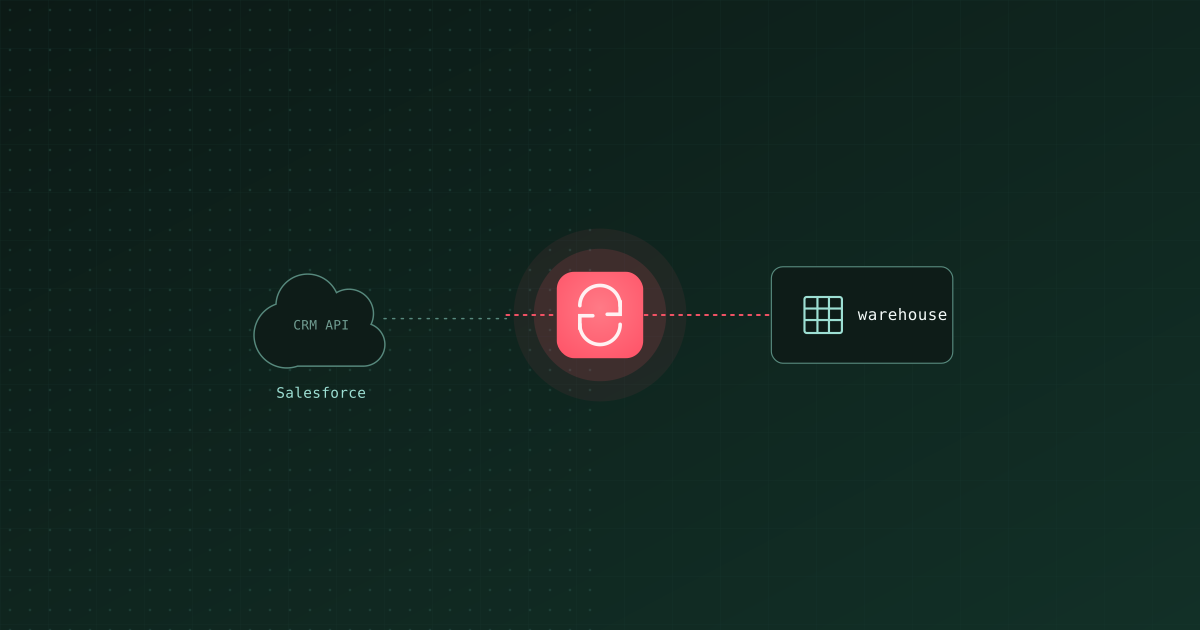
TL;DR: To sync Salesforce data into a warehouse, you pull objects (Account, Opportunity, Lead, and custom objects) through the Salesforce API and load them into Snowflake, BigQuery, or Databricks, incrementally on SystemModstamp. For open-source and code-first, use ingestr, Bruin's open-source ingestion CLI, with its Salesforce source. For fully managed, use Fivetran or Airbyte. If you want the sync plus the downstream models, quality checks, and scheduling in one project rather than three tools, use Bruin, which is the platform ingestr is part of. The parts that actually bite are authentication (a connected app / OAuth), API limits, and getting incremental syncs right so you are not re-pulling every object every run.
Getting Salesforce into your warehouse is how you join CRM data (pipeline, accounts, opportunities) to product and finance data for real reporting. Salesforce's own reports cannot join to your warehouse tables, so the data has to come to you. The mechanics: authenticate to the Salesforce API, extract the objects you care about, and load them incrementally so you respect API limits and keep the warehouse current. Here is the practical path.
How Salesforce access works
- API. Salesforce exposes data through its REST and Bulk APIs, queried with SOQL. The Bulk API is the one you want for moving whole objects, since it is built for volume.
- Auth. You authenticate with a connected app using OAuth, or with a username/password plus a security token for server-to-server access. Set this up once; it is the step people underestimate.
- Incremental key. Most standard objects carry
SystemModstamp(andLastModifiedDate), which is the field you sync on so each run pulls only records changed since the last one. - API limits. Salesforce enforces daily API call limits per org. Full re-pulls of large objects every hour will burn through them, which is the main reason incremental syncing matters here.
Your options
| Option | Type | Open source | Runs as | Best for |
|---|---|---|---|---|
| ingestr (Bruin) | EL, incremental | Yes | CLI (no server) | Code-first, scheduled syncs, no infra |
| Bruin | EL + transformation + checks | Yes (CLI) | CLI or managed cloud | Salesforce sync plus the models and tests downstream of it |
| Fivetran | Managed | No | Managed cloud | Zero maintenance, will pay for it |
| Airbyte | EL | Yes (self-host) | Server + UI | Connector breadth, self-hosted |
| Meltano (tap-salesforce) | EL (Singer) | Yes | CLI | Reusing the Singer ecosystem |
| Custom (simple-salesforce) | DIY | Yes (library) | Your code | Full control, most maintenance |
Sync Salesforce with ingestr, step by step
ingestr, Bruin's open-source ingestion CLI, has a Salesforce source built in. You point it at Salesforce and at your warehouse and it moves the objects.
1. Install it.
pip install ingestr
2. Load a Salesforce object (for example Opportunity) into BigQuery:
ingestr ingest \
  --source-uri 'salesforce://?username=USER&password=PASS&token=SECURITY_TOKEN' \
  --source-table 'Opportunity' \
  --dest-uri 'bigquery://my-project?credentials_path=/path/to/key.json' \
  --dest-table 'raw.sf_opportunity'
3. Make it incremental on SystemModstamp so each run pulls only changed records:
ingestr ingest \
  --source-uri 'salesforce://?username=USER&password=PASS&token=SECURITY_TOKEN' \
  --source-table 'Opportunity' \
  --dest-uri 'bigquery://my-project?credentials_path=/path/to/key.json' \
  --dest-table 'raw.sf_opportunity' \
  --incremental-strategy merge \
  --incremental-key SystemModstamp \
  --primary-key Id
Repeat for Account, Lead, Contact, and any custom objects (Object_Name__c), then schedule the commands. Check ingestr's Salesforce source docs for the exact supported objects and auth options, since Salesforce orgs vary. Swap the destination URI for Snowflake or Databricks using the patterns in our Snowflake and Databricks guides.
Salesforce-specific gotchas
- Respect API limits. Always sync incrementally on
SystemModstamp. Full re-pulls of large objects on a tight schedule will exhaust your org's daily API quota. - Formula and rollup fields recompute. Some fields are derived and can change without a normal record edit. If a downstream number depends on them, sync frequently enough or recompute in your warehouse.
- Custom objects and fields. Custom objects end in
__c. Make sure your connected app / user has field-level access, or fields come back empty with no error. - Deletes. Standard incremental will not catch deleted records. If deletes matter, pull from Salesforce's recycle bin /
isDeletedwhere available, or reconcile periodically with a full compare. - PII and governance. CRM data is full of personal data. Land it in a governed
rawschema and apply access controls before analysts touch it.
After the sync: model and monitor
Raw Salesforce tables are step one. To get usable pipeline and revenue reporting you need to model them (join Opportunity to Account, dedupe, define stages), check quality, and schedule it all. ingestr is the ingestion layer of Bruin, an open-source platform that runs your SQL/Python transformations, data quality checks, and scheduling next to ingestion, so the Salesforce sync and the CRM models live in one project.
Related: load API data into a warehouse (Salesforce is one of many SaaS APIs), the best data ingestion tools in 2026, and replicating into Snowflake or BigQuery.
I work at Bruin, which makes ingestr and Bruin. Corrections welcome at [email protected].