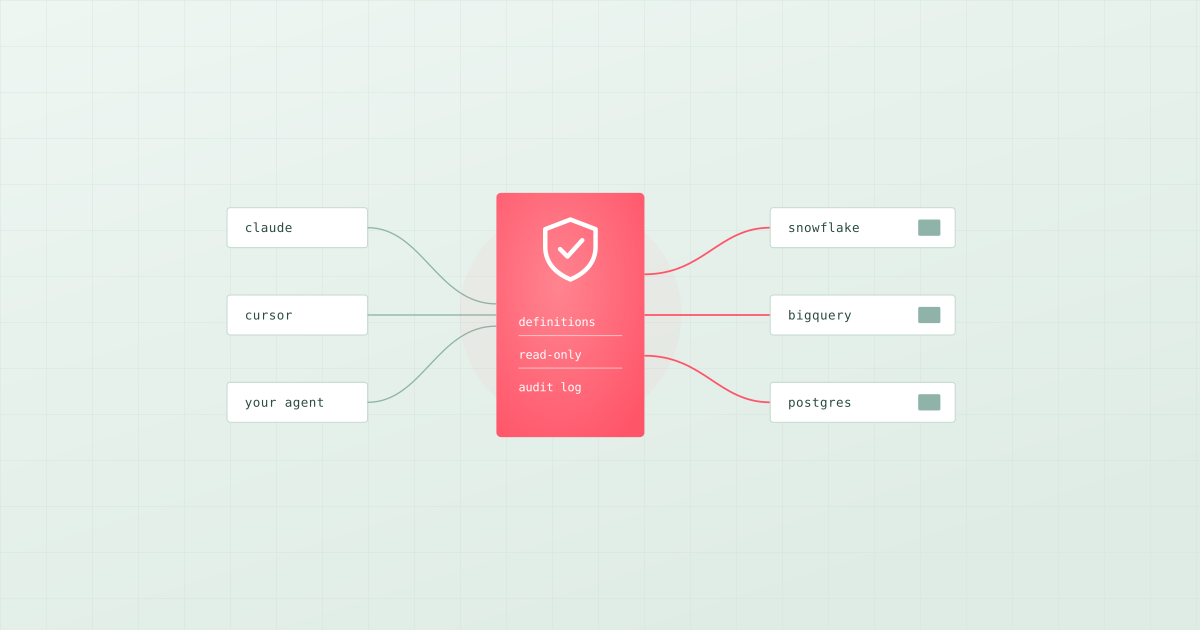
TL;DR: There's no single best platform, because an AI agent needs two things. A warehouse that holds the data and answers queries at scale: Snowflake, Databricks and BigQuery each ship agent features for the data stored in them, Microsoft Fabric suits Microsoft shops, and MotherDuck, DuckDB or Postgres suit small teams. And an access layer between the agent and the warehouse that tells it what your metrics mean, lets it run only safe queries and records what it did. Pick the warehouse for your data. Pick the access layer for your agents. Bruin is an access layer that works on any warehouse: semantic models, a read-only and audited Query API, MCP for assistants, and the lineage and quality checks of the pipeline that builds the tables. Cube and the dbt Semantic Layer cover the definitions part.
"Which platform should our agents query?" is usually asked as if it were one decision. It's two. The warehouse question is about storage, scale and cost, and most teams have already answered it. The agent question is about meaning and safety: whether the agent picks the right table, uses the same definition of revenue as finance, and can't run a query that costs a fortune or changes data. Agents get that from the layer in between, which is where most of the difference in answer quality comes from.
We build Bruin, so we use it for the examples and say where other tools are the better fit.
What an agent needs from a data platform
- Find the right table. Descriptions, owners and lineage, so it picks
analytics.ordersand nottmp_orders_old. - Know what the words mean. Revenue, active customer and churn defined once, so every answer uses the same definition.
- Query safely. Read-only access, limited to the schemas it needs, with a cap on how much it can scan or return.
- Trust the data. Knowing whether today's load passed its checks, so it doesn't answer from a broken table.
- Leave a record. Every query logged with who ran it, so a wrong answer can be traced.
The warehouse provides the first half of item 3 (permissions). Everything else is the access layer.
Layer 1: Where the data lives
| Warehouse | What it offers agents | Best for |
|---|---|---|
| Snowflake | Semantic views, Cortex Agents (which Snowflake now recommends over Cortex Analyst), Snowflake CoWork (formerly Snowflake Intelligence), and a Snowflake-managed MCP server with per-tool access control | Teams whose data already lives in Snowflake |
| Databricks | Genie Agents (formerly Genie spaces) that answer with each user's own Unity Catalog permissions, and managed MCP servers, some still in preview | Lakehouse teams that also run Spark and machine learning |
| BigQuery | Conversational analytics with data agents, a managed remote BigQuery MCP server, and Google's open-source MCP Toolbox for Databases | Teams on Google Cloud |
| Microsoft Fabric | Fabric data agents (formerly AI skills) that run read-only queries with the user's permissions, and can be published as an MCP server | Organisations on Microsoft 365 and Power BI |
| MotherDuck / DuckDB | A hosted MotherDuck MCP server with read-only and read-write tools, and DuckDB's speed on a laptop | Small teams and single-person data functions |
| Postgres | Any Postgres MCP server or query API with a read-only user | Small data that already lives there |
Each warehouse's own agent features work best on data stored in that warehouse, inside that vendor's tools. That's the right choice if your agents live in that vendor's world. If your agents are Claude, ChatGPT, Cursor or your own code, or your data spans more than one warehouse, you need a layer that isn't tied to one of them.
Layer 2: The agent data access layer
| What the agent needs | How the access layer provides it |
|---|---|
| Business definitions | A semantic layer: metrics, dimensions and joins defined once, in Git |
| Table meaning | Descriptions, owners, glossary terms and lineage from the pipeline code |
| Safety | Read-only queries, a scoped token per agent, credentials the agent never sees |
| Trust | The latest quality-check results for each table |
| Accountability | An audit log of every query and the token behind it |
| A way in | MCP for assistants, an HTTP API for custom agents |
Best platform by situation:
- Agents inside one warehouse vendor's tools: that warehouse's own agent features (Snowflake Cortex Agents, Databricks Genie Agents, BigQuery data agents, Fabric data agents).
- Claude, Cursor, Codex or your own agents on any warehouse: an independent access layer such as Bruin.
- You only need governed metric definitions: Cube or the dbt Semantic Layer.
- One person, small data: DuckDB or MotherDuck with an MCP server, and a short file of definitions.
How Bruin works as the access layer
Bruin builds the tables (ingestion, SQL and Python, quality checks, lineage), so the context an agent needs comes from the same files as the pipeline. Then it serves that context and the data to agents.
Definitions as semantic models. Metrics and dimensions are YAML in your repository:
schema: v1
name: orders
source:
  table: analytics.orders
  connection: warehouse
primary_key: order_id
dimensions:
  - name: order_date
    type: time
    granularities:
      month: date_trunc('month', order_date)
  - name: country
    type: string
metrics:
  - name: revenue
    expression: sum(amount)
  - name: order_count
    expression: count(distinct order_id)
A read-only, audited Query API for your own agents. Warehouse credentials are stored once in Bruin Cloud. Your agent calls an HTTP API with a team token and asks for metrics by name instead of writing SQL:
curl -X POST https://cloud.getbruin.com/api/v1/connection-sets/2/query \
  -H "Authorization: Bearer $BRUIN_TOKEN" \
  -H "Content-Type: application/json" \
  -d '{
    "semantic_query": {
      "model": "orders",
      "dimensions": [{ "name": "order_date", "granularity": "month" }],
      "metrics": ["revenue"],
      "limit": 12
    }
  }'
Bruin compiles the SQL from the model, so the agent never writes it. When an agent does send SQL, Bruin rejects every statement that isn't a SELECT or WITH query. The API never returns credentials, keeps no results, and records each query in the team's audit log with the token and the time.
MCP for assistants and coding agents. bruin mcp gives Claude Code, Cursor, VS Code and Codex the Bruin CLI as tools to query data, compare tables, ingest data and build pipelines. In Claude Code:
claude mcp add bruin -- bruin mcp
The Bruin Cloud MCP adds pipelines, runs, assets and logs from Bruin Cloud, with tokens that carry only the permissions an agent needs.
Context beyond the schema. Agents read the glossary (the business terms your team agreed on, mapped to columns), column descriptions, lineage and AGENTS.md files in the repository. Because the same project runs the quality checks, an agent can see whether a table passed today's checks before it answers from it.
Bruin's own analyst. If you'd rather not build an agent at all, Bruin's AI data analyst uses the same layer and answers in Slack, Microsoft Teams, Google Chat, WhatsApp, Discord, Telegram, email and the browser.
Other options for the access layer
- Cube is a semantic layer (Cube Core is open source) with a hosted MCP server that runs every tool as the signed-in user, with row-level security. Strong when the main need is consistent metrics across many consumers.
- The dbt Semantic Layer and the dbt MCP server expose dbt metrics, SQL and project metadata to agents. The Semantic Layer is on the dbt platform's Starter, Enterprise and Enterprise+ plans. A natural fit if dbt already defines your metrics.
- Warehouse-native MCP servers from Snowflake, Databricks, Google, Microsoft Fabric and MotherDuck give agents direct access to that one platform.
For a wider list, see which data tools have a built-in MCP server.
Guardrails, whichever platform you pick
- A read-only database user with access to only the schemas the agent needs.
- One token per agent, with only the permissions it uses, so you can revoke one without breaking the others.
- Definitions before access. Define the ten metrics people ask about most before you let an agent answer about them.
- An audit log you actually read for the first few weeks.
- A test set. Ask the agent twenty questions you already know the answers to, every time you change a definition. See how to know an AI answer is correct.
Where to start
Keep the warehouse you have. Write semantic models for the five metrics people ask about most, give your agent a read-only path to them through MCP or the Query API, and test it on questions you already know the answers to. For the context side in more depth, read how to give AI agents context about your company data.
The Bruin CLI is open source. The Query API docs and MCP setup cover the details.