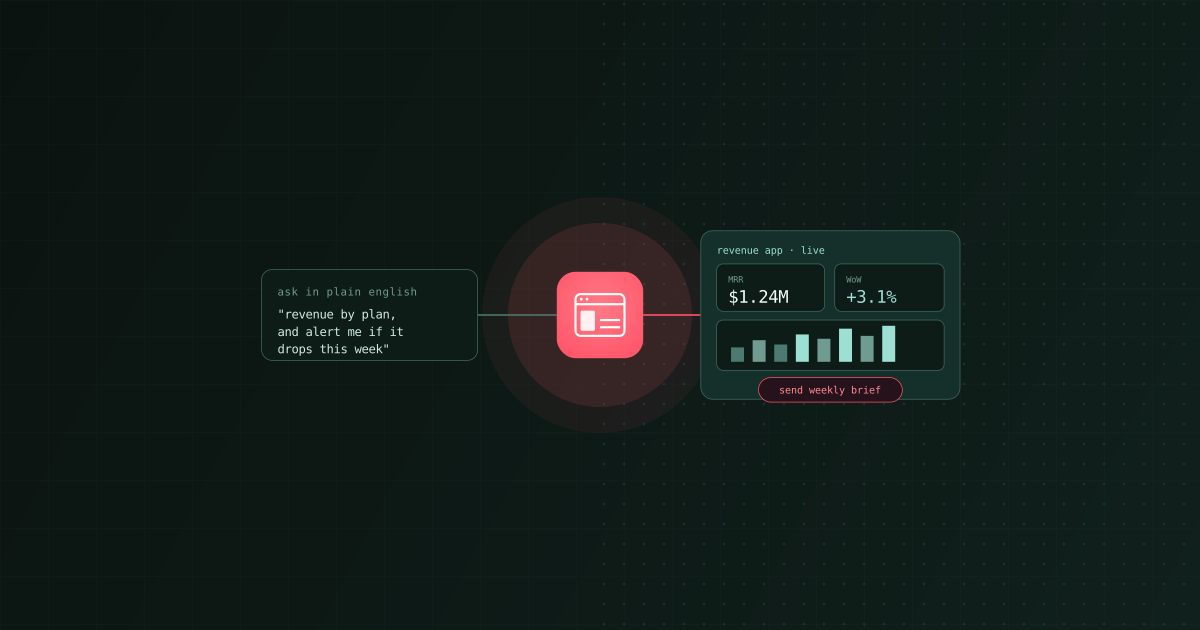
Everyone can build a chart now. The harder problem in 2026 is turning a question into something a team actually operates: a KPI explorer, a customer-health view, a campaign monitor, a support triage tool. Not a static dashboard, and not a one-off answer, but a small, purpose-built interface that reads live data and can act on it.
That is the job Bruin Data Apps is built for, and it is a job most tools only do part of. We build Bruin, so here is an honest look at how it compares to the tools teams usually evaluate: Lightdash, Retool, Streamlit, and Hex, plus the new wave of AI app builders like v0 and Claude Artifacts. For the "is this better than a chatbot" question see AI data analyst vs ChatGPT, Claude, and coding agents, and for the dashboard-first view see From prompt to dashboard.
What is a data app, exactly?
A data app is a small, interactive application built around a specific question or workflow, sitting on top of your real data. Unlike a dashboard, it is purpose-built and can include controls, custom logic, and actions. Unlike a full internal tool, you should be able to stand one up in minutes, not sprints.
The good ones share five properties:
- Live data, not a snapshot. The app queries your warehouse and SaaS sources, so the numbers are current.
- Governed, not ad hoc. It runs on modeled, tested data with defined metrics, so "active customer" means the same thing everywhere.
- Custom interface. Filters, tables, charts, and layout shaped to the question, not a generic report grid.
- Can act, not just show. Send a brief, open a Jira ticket, trigger a downstream job, not only display a figure.
- Safe by construction. Read-only queries, server-side credentials, and an allowlist of what the app can reach, so shipping one does not open a hole.
Most tools nail one or two of these and quietly push the rest onto you. That gap is the whole comparison.
The five kinds of tool
- BI on a semantic layer. Lightdash, Looker, and Metabase turn governed models into dashboards and self-serve exploration. Great for looking, not for acting.
- Internal-tool builders. Retool, Microsoft Power Apps, Appsmith, and Superblocks give you custom UI and actions, but you wire up data, queries, and auth yourself.
- Code-first data-app frameworks. Streamlit, Dash, and Evidence give engineers total control at the cost of engineering time and owned infrastructure.
- Notebook-to-app analytics. Hex and Deepnote let analysts publish notebooks as interactive apps, powerful but analyst-centric and build-heavy.
- AI app builders. v0, Claude Artifacts, Lovable, and Bolt generate a UI from a prompt in seconds, but with no connection to your governed data and no security model behind it.
Bruin Data Apps is a sixth thing: an AI-native app builder that sits on top of a governed data platform, so the app is trustworthy by construction and operational by default.
The tools at a glance
| Tool | Category | How you build | Runs on your governed data | Can take actions | Who secures it | Best for |
|---|---|---|---|---|---|---|
| Bruin Data Apps | AI-native app builder on a data platform | Conversational, in chat | Yes, via named read-only queries | Yes, via allowlisted API actions | Bruin, server-side credentials and sandboxed | Operational interfaces on trustworthy data, built by anyone on the team |
| Lightdash | BI on the dbt semantic layer | Point-and-click config | Yes, via your dbt models | No | You and dbt | Governed self-serve dashboards and exploration |
| Retool | Internal-tool builder | Drag-and-drop plus code | Partly, you wire it up | Yes | You | Custom internal CRUD and ops tools |
| Microsoft Power Apps | Low-code app platform | Drag-and-drop plus Power Fx | Via connectors you configure | Yes | You | Internal apps inside the Microsoft and Dataverse ecosystem |
| Streamlit | Code-first data-app framework | Python code | Only if you build it | Yes, if you code it | You | Bespoke data apps for Python teams |
| Hex | Notebook-to-app analytics | SQL and Python notebooks | Yes, once connected | Limited | You and Hex | Analyst-built interactive reports |
| AI app builders (v0, Claude Artifacts) | Prompt-to-UI generators | Conversational, in chat | No, not by default | No, not by default | You | Fast frontend prototypes and mockups |
Bruin Data Apps
What it is: an AI-native way to build a data app by describing it in chat. You say what you want, preview it live, and refine it in follow-up messages. The result is a rich, interactive app with controls, tables, and charts that runs on your real, governed warehouse data and can trigger real actions.
Why teams pick it:
- You build by asking. No framework to learn and no frontend to hand-code. Turning a question into an interface is a conversation, and one app can hold several builder threads as it evolves.
- Live data through named, read-only queries. Apps call approved, named SQL queries over your existing connections, and filters drive the query parameters. There is no arbitrary SQL from the browser, so an app cannot wander off its leash.
- It acts, not just answers. Through declared, allowlisted API requests an app can search Jira, send an email, or trigger an operational job, which is what makes it an operational interface rather than a dashboard.
- Safe by construction. Credentials stay server-side and never reach the browser. Apps run in a sandboxed iframe under a strict content-security policy, queries are read-only and capped, and outbound requests are host-pinned and protected against SSRF. Where it helps, apps can resolve a viewer's own OAuth connection instead of a shared credential.
- On a governed platform. Because Bruin already handles ingestion, transformation, and quality checks, an app sits on modeled, tested data. The number is trustworthy because the pipeline underneath it is, not because someone eyeballed it.
- Team-native. Apps are team-visible by default, and colleagues can open, iterate on, rename, and delete them.
Watch-outs: Data Apps are built to run on your governed Bruin data and declared actions, by design. If you want an untethered React sandbox with arbitrary code and arbitrary endpoints, a general-purpose builder will feel more open. That openness is exactly the security surface Bruin removes on purpose.
Lightdash
What it is: open-source BI built on top of the dbt semantic layer. You define metrics and dimensions in dbt, then explore and build dashboards on those governed definitions.
Why teams pick it: governed, version-controlled metrics inherited straight from dbt, clean self-serve exploration, and an open-source core. If your team lives in dbt and mostly needs trustworthy dashboards, it is a strong fit.
Watch-outs: Lightdash is for looking, not acting. It produces charts and dashboards, not purpose-built interfaces that can send a brief or open a ticket, and it assumes a mature dbt project to model against. Bruin covers the modeled-data layer and the app on top of it, and the app can take actions.
Bruin vs Lightdash in one line: Lightdash gives your dbt models a governed dashboard; Bruin gives your governed data an operational app that can also act.
Retool
What it is: the best-known internal-tool builder. Drag components onto a canvas, connect to databases and APIs, and wire up custom CRUD and ops tools.
Why teams pick it: mature, flexible, and packed with components. For hand-built internal apps with buttons that do things, it is a category leader, and it has been adding AI features.
Watch-outs: you own the hard parts. You connect the data sources, write and manage the queries, and decide who is allowed to run what, which means the governance and security model is yours to build and maintain. It is builder-first, not data-platform-first, so there is no modeled, tested data layer underneath unless you already have one elsewhere. Bruin flips that: the data is already governed, queries are named and read-only, and credentials are server-side, so a safe app is the default rather than something you assemble.
Bruin vs Retool in one line: Retool gives you a blank canvas and asks you to secure it; Bruin gives you a conversational builder on data that is already governed and locked down.
Microsoft Power Apps
What it is: Microsoft's low-code platform for building business apps, part of the Power Platform, built on Dataverse and a large library of connectors.
Why teams pick it: deep integration with Microsoft 365, Dataverse, Power Automate, and Power BI. If your organization already runs on Microsoft, identity, governance, and licensing are largely handled, and business users can assemble apps without much code.
Watch-outs: it is a general low-code app builder, not a data platform. You still model and secure the data layer yourself (usually through Dataverse), it is at its best inside the Microsoft ecosystem, and it is not AI-native in the build-by-asking sense. Bruin sits on already-modeled, tested pipelines and builds the app from a prompt, with named read-only queries and server-side credentials by default.
Bruin vs Power Apps in one line: Power Apps is a low-code canvas for Microsoft shops; Bruin builds the app from a prompt on data that is already governed and tested.
Streamlit
What it is: a Python framework that turns scripts into data apps. Hugely popular with data scientists for its flexibility and ecosystem.
Why teams pick it: near-total control. If you can write it in Python, you can put it in a Streamlit app, and the community is enormous.
Watch-outs: it is code, so building and maintaining apps takes engineering time, and you own hosting, authentication, secrets, and the security posture. Iterating means editing code and redeploying, and every app is a small app to keep alive. Bruin removes that operational tax: you build in chat, the app is hosted and sandboxed, credentials live server-side, and there is no infrastructure to run.
Bruin vs Streamlit in one line: Streamlit is maximum flexibility if you have Python engineers and time; Bruin is a governed, hosted app you can build in a conversation.
Hex
What it is: a collaborative data notebook that publishes interactive apps, combining SQL, Python, and charts, with its own AI assistance.
Why teams pick it: excellent for analysts. Notebook flexibility, polished published apps, and strong collaboration make it a favorite for analytical, exploratory work.
Watch-outs: it is analyst-centric and notebook-first. You still build the underlying notebook logic, the published apps are oriented toward exploration and reporting rather than operational actions, and it is a heavier lift than describing an app in chat. Bruin is aimed at anyone on the team building an operational interface that reads governed data and can act, not just an analyst shipping an interactive report.
Bruin vs Hex in one line: Hex turns a notebook into an interactive report; Bruin turns a question into an operational app.
And the AI app builders (v0, Claude Artifacts, Lovable)
The newest and most seductive category. Tools like v0, Claude Artifacts, Lovable, and Bolt generate a working UI from a prompt in seconds, and the output can be genuinely impressive.
The catch is the backend. These tools produce a frontend with no connection to your governed warehouse and no security model behind it. To make one real you would have to build and secure the data layer yourself, wire up authentication, manage secrets, and hope nobody pastes production credentials into a prototype. There is no named, read-only query guarantee, no server-side credential handling, no host-pinned allowlist, and no lineage or governance. You get a beautiful interface with nothing trustworthy underneath.
Bruin Data Apps starts from the same conversational, prompt-driven experience, but the app it produces is wired to real, governed data through named read-only queries and to real actions through an allowlist, with credentials that never touch the browser. Same speed from question to interface, without the missing, dangerous backend.
Bruin vs AI app builders in one line: v0 and Artifacts give you a frontend with no trustworthy backend; Bruin gives you the app and the governed data spine in one.
How to choose
- You mostly need governed dashboards on your dbt models: Lightdash or another semantic-layer BI tool is a fine fit.
- You want a blank canvas for internal CRUD tools and have the team to secure it: Retool.
- You are all-in on Microsoft and want low-code apps on Dataverse: Power Apps.
- You have Python engineers and want total control over bespoke apps: Streamlit.
- Your analysts want to publish interactive, exploratory reports: Hex.
- You want a fast frontend prototype and will build the backend later: an AI app builder like v0 or Claude Artifacts.
- You want to turn a question into a purpose-built, operational interface on live, governed data, built in a conversation and safe to ship: that is Bruin Data Apps, sitting on an end-to-end platform rather than bolting onto one.
FAQ
What is a Bruin Data App?
A Bruin Data App is a small, interactive application you build by describing it in chat. It runs on your live, governed warehouse data through named read-only queries, can take actions through an allowlist of declared API requests, and runs in a secure sandbox with credentials kept server-side. The goal is to turn a question into a purpose-built operational interface, not just a dashboard.
How is Bruin different from Retool or Streamlit?
Retool and Streamlit are general-purpose builders where you connect the data, write the queries, and own the security and infrastructure yourself. Bruin sits on a governed data platform, so the data is already modeled and tested, queries are named and read-only, and credentials stay server-side. You build by asking rather than by dragging components or writing Python.
Can Bruin Data Apps do more than dashboards?
Yes. Beyond charts and tables, an app can take real actions through declared, allowlisted API requests, such as searching Jira, sending an email, or triggering a downstream job. That is what makes it an operational interface rather than a read-only dashboard.
Are Bruin Data Apps secure?
They are designed to be safe by construction. Apps run in a sandboxed iframe under a strict content-security policy, queries are read-only and capped, credentials never reach the browser, and outbound requests are host-pinned and protected against SSRF. Apps cannot submit arbitrary SQL or call arbitrary URLs.
How is this different from v0 or Claude Artifacts?
AI app builders generate a frontend from a prompt but have no connection to your governed data and no security model, so you would build and secure the backend yourself. Bruin offers the same conversational build experience while wiring the app to real, governed data and allowlisted actions, with server-side credentials.