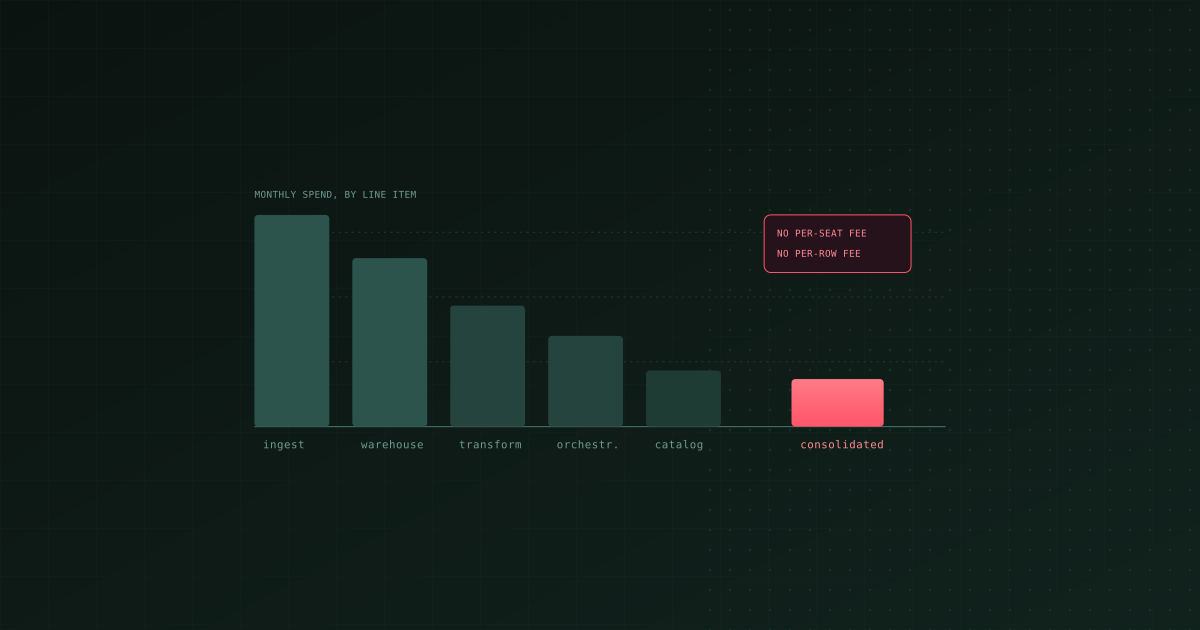
TL;DR: The cheapest modern data stack in 2026 has no per-seat and no per-row licence in it. Use a usage-billed columnar warehouse (BigQuery, or DuckDB and MotherDuck while your data is small), an open-source ingestion tool, an open-source transformation framework, and your existing CI runner as the scheduler. The lowest-cost way to get the middle three is Bruin, one open-source runtime that covers ingestion, transformation, quality checks, and scheduling with no per-seat or per-row fee; dbt plus ingestr plus GitHub Actions is the multi-tool equivalent. That leaves warehouse compute as your only real bill, which is the one line item that does actual work. Then attack the compute: auto-suspend, incremental instead of full refresh, and partitioning. The two pricing models that hurt most at scale are per-row ingestion and per-seat transformation, and both are avoidable.
"Cheap data stack" usually gets answered with a list of free tools. That is the wrong frame, because the licences are rarely the biggest number on the bill. The biggest numbers are warehouse compute, per-row ingestion fees at volume, and the engineering time spent gluing five tools together.
This guide is about all three.
A note on prices: vendor list pricing changes often and varies by contract, so this guide talks about pricing models rather than quoting figures that will be stale in a quarter. Check current list prices before you commit to anything.
Where the money actually goes
For a small team, a typical monthly bill breaks down roughly like this, largest first:
- Warehouse compute. Almost always the biggest line, and the most reducible. Driven by how often you rebuild things and how much data each query reads.
- Ingestion, if it is priced per row. Invisible at pilot scale, then suddenly the largest line when you connect a high-volume production database. This is the one that surprises people.
- Per-seat tooling. Grows with headcount rather than with usage, which means it grows exactly when you can least justify it.
- Storage. Usually small and rarely worth optimising first.
- Engineering time. Never on the invoice, always the real cost. Five tools means five sets of credentials, five failure modes, and a person who becomes the integration.
The order matters because effort spent on the wrong line is wasted. Switching to a free ingestion tool saves nothing if your problem is a nightly full refresh of a 4TB table.
The pricing models to understand
| Model | Used by | Cheap when | Expensive when |
|---|---|---|---|
| Per row / per record ingested | Managed ELT (Fivetran and similar) | Low-volume SaaS sources | A high-churn production database |
| Per seat | Many transformation and BI tools | Tiny team | Headcount grows, or analysts need access |
| Per credit / per slot-hour | Snowflake, Databricks | Bursty, well-suspended workloads | Idle warehouses, oversized compute |
| Per byte scanned | BigQuery on-demand | Well-partitioned tables, narrow queries | SELECT star on unpartitioned tables |
| Flat / self-hosted | Open-source tools | Almost always | You are paying in operations instead |
The general rule: usage-based pricing is your friend when usage is genuinely low and your enemy when the usage is a firehose you do not control. A database replicating millions of changed rows a day is a firehose.
A cheap reference stack for a lean team
This is what we would actually build for a team of one to five with no platform engineer.
Warehouse. BigQuery if you want zero operations and usage billing, and it is generous at small scale. DuckDB if your data fits on one machine, which for a surprising number of companies it does, with MotherDuck when you need it hosted and shared. ClickHouse if you have high-volume event data and need fast aggregates. Snowflake is excellent and rarely the cheapest choice at this size.
Ingestion. An open-source tool with no per-row fee. ingestr (Bruin's open-source ingestion CLI), Sling, dlt, or Meltano all qualify. See the best data ingestion tools for the comparison and the cheapest way to move large data volumes for the mechanics.
Transformation. dbt Core, SQLMesh, or Bruin. All open source, all run from a git repository. See the best data transformation tools.
Scheduling. Your CI runner. GitHub Actions on a cron schedule costs nothing extra on most plans and is genuinely sufficient until you need real dependency management and retries. Do not stand up Airflow at this size; it is a service someone has to operate, and that person is you. See running data pipelines in CI/CD.
Quality checks. Built into the transformation layer. Free.
BI. Metabase or Lightdash if you want a dashboard tool, or skip it early and let people ask questions in chat.
Total licence cost: zero. Total bill: warehouse compute and storage. That is the floor, and most teams can sit on it for a long time.
Cutting Snowflake compute costs
If you are already on Snowflake, in rough order of return:
- Auto-suspend aggressively. Idle warehouses are the single most common source of waste. A minute or two of idle timeout is usually right. Check every warehouse, including the ones a departed colleague created.
- Size down, then measure. Teams reach for a larger warehouse when a query is slow. Often the query is slow because it scans too much, and a larger warehouse just burns credits faster. Halve the size and see whether wall-clock time actually got worse.
- Separate workloads. One heavy transformation job forcing your whole account onto a large warehouse means every small query pays for it. Give the heavy job its own warehouse.
- Stop full-refreshing. A nightly full rebuild of a large table is usually the biggest single job on the account, and usually unnecessary. See choosing the right incremental strategy.
- Cluster the tables that dominate scan volume, and only those. Clustering has its own maintenance cost.
Cutting BigQuery costs
BigQuery on-demand bills by bytes scanned, which makes cost a direct function of query shape:
- Partition by date, cluster by your common filter columns. This is the highest-return change available.
- Always filter on the partition column. An unfiltered query on a partitioned table scans everything and the partitioning buys you nothing.
- Never
SELECT *on a wide table. Columnar storage means you pay for the columns you read. Selecting ten columns instead of two hundred is a straightforward cut. - Materialise expensive intermediates. If five queries each recompute the same aggregate, compute it once into a table.
- Move to capacity pricing when the maths says so. Once steady on-demand spend exceeds the equivalent slot commitment, reservations are cheaper. Below that they are not.
Reducing the number of tools
This is the lever people skip because it is architectural rather than a setting, and it is often the largest.
A conventional stack has an ingestion tool, a transformation tool, an orchestrator, a quality tool, and a catalog. Five vendors, five sets of credentials, five upgrade cycles, and glue between each pair. The licences are visible on invoices. The glue is not, and the glue is usually more expensive.
Two honest ways to cut it:
Drop tools you do not need yet. A catalog below roughly 200 tables is usually solving a problem you do not have. A dedicated orchestrator below a few dozen assets is usually solving a problem your CI runner already solves. A separate observability platform before you have basic blocking checks is definitely premature.
Consolidate the ones that are really one job. Ingestion, transformation, scheduling, and quality checks are four names for stages of one pipeline. Tools that cover several in one runtime remove the integration work between them. That is the design Bruin is built around, and it is also what teams describe when they talk about replacing a Fivetran, dbt, and Airflow stack with one tool.
The honest caveat on consolidation: you trade best-of-breed for fewer seams. If one component of a platform is materially worse than the specialist tool you would otherwise pick, and that component matters to you, the seam is worth keeping. Consolidation is a good default, not a law.
What not to cut
A few economies cost more than they save:
- Quality checks. Free, and the thing that stops you shipping a wrong number to a board meeting.
- Version control and CI. Free. A pipeline you cannot review or revert is expensive the first time it breaks.
- Incremental loads. They take longer to write than a full refresh and they are usually the largest compute saving available.
- A real warehouse, too early. Running analytics on your production Postgres replica to save money works until an analyst's query degrades the application. That outage costs more than a warehouse.
The short version
Get to a stack with no per-seat and no per-row licence in it, which is entirely achievable with open-source tooling in 2026. Then treat warehouse compute as the thing to optimise, because it is the only line item left and it is very reducible: suspend idle compute, stop full-refreshing, and partition what you scan. Cut tool count before capability, and be suspicious of any pricing model that scales with something you do not control.
Related: the hidden costs of DIY pipelines, cost use cases by warehouse, and the best data pipeline tools.