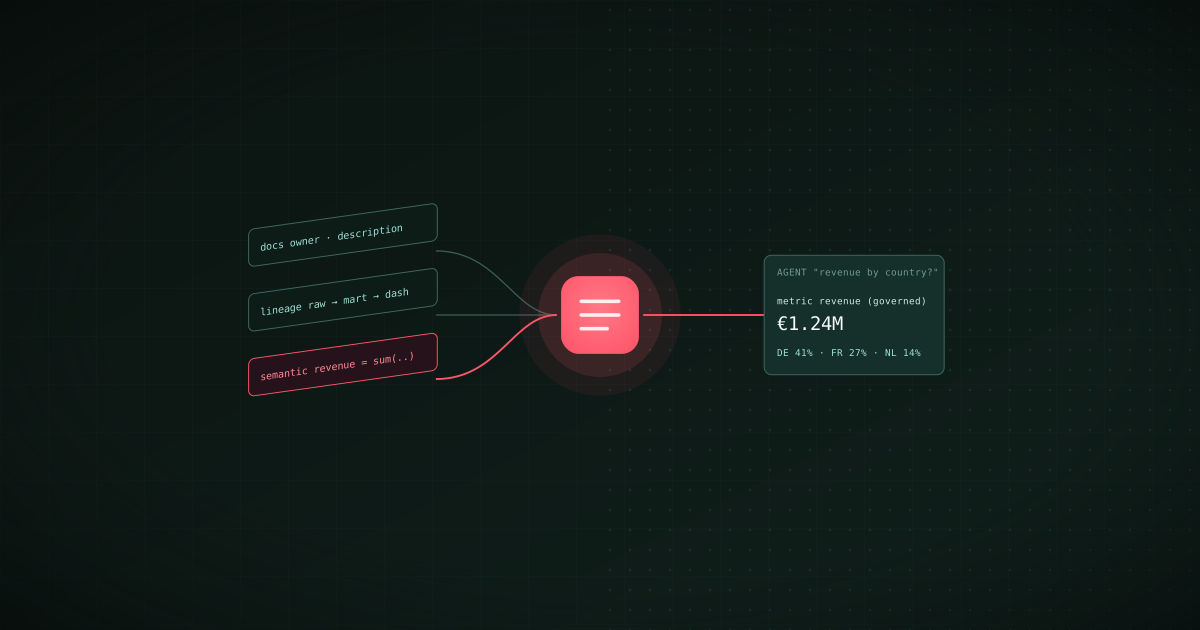
TL;DR: An AI agent queries your data correctly when it has three kinds of context that a schema alone does not carry: what each asset and column means, how the assets depend on each other, and how the business defines its metrics. This guide builds that context layer in three steps with Bruin's open-source CLI. Step one automates documentation with bruin ai enhance and keeps it in the repository. Step two establishes lineage from the pipeline code, so bruin lineage and bruin validate show the downstream impact of a schema change before it ships. Step three publishes a semantic layer of governed metrics, dimensions, and joins that the AI data analyst and any MCP-capable coding agent read instead of guessing. The result is a context layer that lives in git, versions with the pipeline, and is the same for every agent that asks.
The failure mode this prevents is familiar to anyone who has pointed a language model at a warehouse. The model writes plausible SQL against revenue_v2_final, sums a column that was deprecated in March, joins on a key that is not a key, and returns a confident number. Nothing in the schema told it otherwise. The OpenAI Agents SDK describes the fix plainly: context available to the model is the data it sees when generating a response. A context layer is the discipline of writing that data down where the agent can read it.
Before you start
You need a Bruin project with at least one pipeline. If you are starting from an existing warehouse, map your tables with bruin import database first; that guide covers the import and the initial AI-generated descriptions in detail. This guide picks up from there and covers the three layers an agent needs on top.
curl -LsSf https://getbruin.com/install/cli | sh
bruin init empty context-layer
cd context-layer
Add your warehouse connection to .bruin.yml and confirm with bruin validate.
Step 1: Automate data pipeline documentation
Documentation that lives outside the pipeline goes stale, and stale documentation is worse than none for an agent, because the agent will trust it. The rule for this layer is that every description is generated from, and stored with, the asset it describes.
Bruin assets already carry a metadata header. Documentation is a set of fields in it:
/* @bruin
name: mart.orders
type: sf.sql
owner: [email protected]
description: One row per order, deduplicated from the source system and enriched with the customer's region. Refunded orders keep their original row with status = 'refunded'.
tags: [orders, finance]
depends: [raw.orders, mart.customers]
columns:
  - name: order_id
    type: integer
    description: Order identifier from the source system. Unique per order, stable across updates.
    primary_key: true
  - name: order_total
    type: float
    description: Gross order value in the customer's currency, before refunds. Use mart.revenue for net figures.
@bruin */
Writing that by hand for three hundred assets is the reason nobody does it. bruin ai enhance writes the first draft:
bruin ai enhance assets/mart/orders.sql
The command reads the asset, its SQL, and its upstream context, then writes descriptions for the asset and each column, suggests quality checks inferred from the column names and statistics, and adds tags. It shows the diff before applying, validates the modified file, and restores the original if validation fails. Review the diff the way you would review a pull request, because the point of the exercise is that a human signs off on what the agent will later treat as truth.
Two further pieces belong in this layer:
- Owners.
owneron every asset and pipeline, enforced with theasset-has-ownerpolicy rule so nothing ships without one. An agent that can tell a user who owns a table has answered half the follow-up questions in advance. - A glossary. Bruin Cloud's glossary is a registry of business entities such as Customer, Order, and Subscription, stored as YAML in the repository and mapped to the warehouse columns that carry them. It gives an agent the vocabulary the business uses, which is rarely the vocabulary of the column names.
Once these are in the repository, the catalog in Bruin Cloud renders assets, columns, descriptions, owners, and lineage directly from it. There is no second system to keep in sync, which is the whole point.
Step 2: Establish column-level lineage
Lineage answers two questions an agent has to get right: which table is the raw one and which is the modelled one, and what breaks if a column changes. The distinction that matters most is timing. Catalogs that reconstruct lineage from warehouse query logs show you the graph after the code ran. Lineage derived from the pipeline code is available before the change ships, which is when you want to know.
Bruin builds the dependency graph from two sources: the depends list on each asset, and the SQL it parses from each asset, for SQL and Python assets alike. Nobody draws the graph.
bruin lineage assets/mart/orders.sql --full
The command prints every upstream dependency the asset relies on and every downstream asset that relies on it, including indirect connections with --full. Add --output json to feed the graph to something else. Bruin Cloud renders the same graph across every pipeline in the organisation, down to the column, and shows cross-pipeline dependencies, which is where the orphaned pipelines and the single upstream everything depends on become visible.
Seeing the downstream impact of a schema change. The practical use is a build that fails. Remove or retype a column that a downstream asset selects, open a pull request, and run:
bruin validate ./pipeline
Validation fails with the assets that break, in the pull request rather than in the morning dashboard. Review the lineage graph before deploying anything that touches a widely used column, and you have turned impact analysis from a meeting into a CI step. The CI/CD guide covers the GitHub Actions setup.
For the agent, lineage is context in two ways. It tells the agent which asset is authoritative for a metric, so it queries mart.revenue rather than the raw ledger. And when the agent is diagnosing a broken pipeline, the graph is how it finds the upstream cause, which is the loop described in how to build and maintain data pipelines with AI agents.
Step 3: Provide business context to AI agents
Documentation says what a column is. Lineage says where it came from. Neither says how the business defines revenue. That is the job of a semantic layer, and it is the layer that most directly determines whether an agent's number matches finance's number.
Bruin's semantic layer lives in a semantic/ directory at the repository root, beside .bruin.yml. Every YAML file in it is loaded when a semantic query runs:
# semantic/orders.yml
schema: v1
name: orders
source:
  table: mart.orders
primary_key: order_id
dimensions:
  - name: order_date
    type: time
  - name: country
    type: string
  - name: status
    type: string
metrics:
  - name: revenue
    description: Net revenue after refunds, in EUR.
    expression: sum(case when status != 'refunded' then order_total_eur else 0 end)
  - name: orders
    expression: count(order_id)
  - name: average_order_value
    expression: "{revenue} / {orders}"
segments:
  - name: completed
    filter: "status in ('paid', 'shipped')"
joins:
  - name: customers
    foreign_key: customer_id
Metrics carry their SQL expression and can derive from other metrics. Dimensions are the fields an agent may group, filter, and sort by. Segments are named filters. Joins declare which relationships are safe to follow. Together they are the guardrails: an agent that asks the semantic layer for revenue by country gets the governed definition, compiled to SQL, rather than its own reading of the schema.
bruin query --semantic-model orders --metric revenue --dimension country --segment completed
Connecting the agents. Two kinds of agent read this layer. The first is Bruin's own AI data analyst, which answers questions in Slack, Microsoft Teams, Google Chat, WhatsApp, Discord, Telegram, email, and the browser from the same semantic definitions, so a question asked in Slack and a dashboard built from a prompt use one definition of revenue. The second is any MCP-capable coding agent. Bruin ships an MCP server that lets Claude Code, Cursor, or Codex read the project's assets, columns, checks, lineage, and semantic models, so an agent building or repairing a pipeline works from governed context rather than the schema alone.
Three rules keep the layer trustworthy:
- Definitions are reviewed like code. The semantic files live in git and change through pull requests. A metric definition that changes without review is a metric nobody trusts.
- The agent has access to the catalog, and only the catalog. Point agents at the modelled layer and the semantic definitions, not at raw tables. Hallucinated joins come from raw access.
- Quality state travels with the answer. Because the checks from Step 1's asset definitions run with the pipeline, an agent can tell a user that today's revenue figure is from a run whose checks passed, or refuse to answer from a table whose checks failed.
What you have at the end
A repository that carries the pipeline and its context together: documented, owned assets generated and reviewed with bruin ai enhance; lineage derived from the code and enforced by bruin validate in every pull request; a semantic layer of governed metrics that the AI data analyst and coding agents query through MCP. Every piece versions with the pipeline, and every agent that asks gets the same answer, which is the only definition of correct that matters for company data. To roll an agent out on top of it in stages, see How to Onboard an AI Data Agent Like a New Hire.
For the tools that fill each layer when your stack spans more than one framework, see the best data lineage and catalog tools in 2026 and the best semantic layer tools.