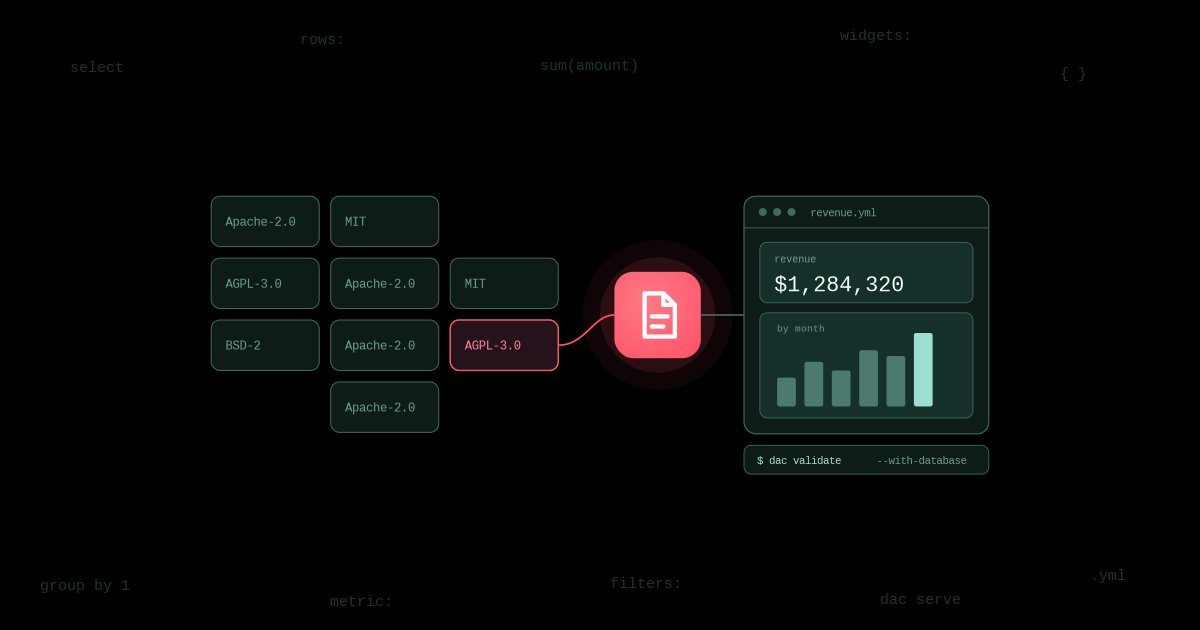
TL;DR: Bruin DAC is the best open-source BI tool for teams that want engineers and AI agents to build dashboards as code: each dashboard is a YAML or TSX file in Git, on a semantic layer, reviewed in a pull request, and served with one command on the warehouse you already use. Rill is the closest alternative, for fast exploration on a metrics layer. The other open-source BI tools worth knowing in 2026 are Lightdash, Evidence, marimo, Apache Superset, Metabase, WrenAI, and Redash. They split into two camps: code-first tools, where the dashboard is a file (Bruin DAC, Rill, Lightdash, Evidence, marimo, WrenAI), and UI-first tools, where people click dashboards together and the definition lives in the tool's database (Superset, Metabase, Redash). Before you pick, check the licence and what the free edition leaves out: SSO, row-level security, and AI are often paid.
Open-source BI used to answer one question: which free tool can replace a Tableau licence? In 2026 there is a second one. More dashboards are now written by AI agents and engineers rather than dragged together in a UI, so it matters whether a dashboard is a file an agent can write, test, and send for review. This guide compares 9 open-source BI tools on that, with licences checked in each repository and the gaps in each free edition.
We build Bruin, including Bruin DAC, so you know where we stand. We also say plainly where another tool is the better pick: for business users who build their own charts by clicking, Metabase or Superset is; for fast exploration of large event data, Rill often is.
Key takeaways
- Decide who builds the dashboards first. If engineers and AI agents build them, pick a tool where the dashboard is a file (6 of the 9 here). If business users click them together, pick Metabase or Superset.
- "Open source" covers 3 different deals. 7 of the 9 use permissive licences (Apache 2.0, MIT, or BSD), 2 use AGPL-3.0 (Metabase and Bruin DAC), and most keep SSO, AI, or team hosting in a paid product, Bruin Cloud included.
- SSO and row-level security are the usual paywall. Metabase keeps SAML SSO and row-level permissions for its Pro plan ($575 a month with 10 users). Apache Superset is the one big UI-first tool with row-level security in the open-source project.
- A dashboard that is a file is one an agent can work on. An agent can write it, a command can check it, and a person can review it in a pull request. A dashboard stored in a BI tool's database can only be inspected by clicking through it.
How we compared
- Where the dashboard lives: a file in Git that can be reviewed, or an object in the tool's own database.
- Whether an agent can build and check it from the command line, without clicking through a UI.
- Licence: read from each project's GitHub repository, including which folders are commercial.
- What the free edition leaves out: SSO, row-level security, AI features, embedding, and hosting.
- Metric layer: whether "revenue" is defined once and reused by every chart.
- Last release: whether the project is actively maintained.
Facts about each tool come from its GitHub repository, documentation, and pricing page. Facts about Bruin come from the DAC docs, our pricing page, and the DAC repository.
The 9 open-source BI tools at a glance
| Tool | Licence | Dashboard lives in | Metric layer | Left out of the free edition | Latest release | Best for |
|---|---|---|---|---|---|---|
| Bruin DAC | AGPL-3.0 | YAML or TSX files in Git | Yes, a semantic/ folder | Viewer logins, SSO, and row-level permissions (Bruin Cloud adds SSO and roles) | v0.33.3, 24 Nov 2026 | Dashboards as files next to the pipeline, written by engineers and AI agents |
| Rill | Apache 2.0 | SQL and YAML files | Yes, metrics views | Team sharing and SSO come with Rill Cloud, from $20 per seat a month | v0.92.1, 19 Nov 2026 | Fast exploration on a metrics layer |
| Lightdash | MIT, plus a commercial ee folder | dbt or Lightdash YAML; charts sync as YAML | Yes, in dbt or Lightdash YAML | AI agents, embedding, SCIM, and custom roles need a paid licence | 3.385.1, 24 Nov 2026 | dbt teams that want BI as code |
| Evidence | MIT | Markdown and SQL files | No | Hosting, the AI agent, SSO, and row-level access are in Evidence Studio | CLI v0.12.2, Nov 2026 | Written reports built like a website |
| marimo | Apache 2.0 | Python files (notebooks) | No | Nothing held back; it is a notebook, not a BI server | 0.25.2, 19 Oct 2026 | Python analysis an agent can run and diff |
| Apache Superset | Apache 2.0 | The UI, exportable as YAML | Yes, datasets with shared metrics | Nothing held back; Preset sells a managed version | 6.1.0, 13 May 2026 (7.0 in release candidates) | Large self-hosted deployments with row-level security |
| Metabase | AGPL-3.0, plus a commercial enterprise folder | The UI; Git sync is paid | Paid (Data Studio semantic layer) | SAML SSO, row- and column-level permissions, Git sync, modular embedding | v0.65.6, 18 Nov 2026 | Business users who explore without SQL |
| WrenAI | Apache 2.0 (engine, SDK, skills) | YAML and Markdown (MDL) | Yes, MDL semantic layer | The GenBI interface, row-level control, and SSO are in Wren AI Cloud, from $179 a month | wren-v0.18.0, 10 Nov 2026 | An open text-to-SQL engine for your own agents |
| Redash | BSD-2-Clause | The UI | No | No hosted version since 2021; community-maintained | v26.9.0, 24 Sep 2026 | SQL-first teams that want something small |
Best open-source BI tool by need:
- Dashboards as YAML or TSX files in Git, built by engineers and AI agents, next to the pipeline that feeds them: Bruin DAC
- Moving dashboards out of Metabase into code: Bruin DAC (it imports Metabase dashboards)
- Fast exploration on a metrics layer, on DuckDB, ClickHouse, or a warehouse: Rill
- BI as code on a dbt project: Lightdash
- Narrative reports written in Markdown and SQL: Evidence
- Python analysis that an agent can run, diff, and export: marimo
- A large self-hosted deployment with row-level security and no licence fee: Apache Superset
- Business users who explore data without writing SQL: Metabase
- An open-source text-to-SQL engine to build your own agent on: WrenAI
- A small, SQL-first dashboard tool: Redash
The 9 tools, one by one
1. Bruin DAC
What it is: Bruin's open-source dashboards-as-code tool, AGPL-3.0, shipped as one Go binary. A dashboard is a YAML file, or a TSX file when the layout needs loops or data-driven components. Widgets either carry their own SQL or reference metrics and dimensions defined once in a semantic/ folder, and DAC writes the SQL. It reads warehouse connections from the same .bruin.yml file as the Bruin CLI, so it reaches Postgres, MySQL, Snowflake, BigQuery, Redshift, Databricks, and the other databases Bruin connects to.
name: Sales Overview
connection: warehouse

rows:
  - widgets:
      - name: Revenue
        type: metric
        sql: SELECT SUM(amount) AS value FROM sales
        value:
          field: value
          type: number
          format: "$,.2f"
        col: 4
Where it wins: it was built for agents to write dashboards that people can review. dac init installs a dashboard-authoring skill for Claude and Codex, dac validate --with-database checks every query against the real database, dac check runs every widget query, and dac serve renders the result. The dashboard sits in the same repository as the pipeline and its quality checks, so a change to a model and the chart that uses it can ship in one pull request. dac import metabase turns a Metabase dashboard into a DAC file, and dashboards can also be embedded in a React app or exported to Google Slides.
Where it falls short: DAC has no viewer logins, SSO, or row-level permissions of its own, so you run it behind your own authentication or use Bruin Cloud. It needs the Bruin CLI to run queries, it has no data tests (dac check confirms queries run, not that numbers are right), and plain dac validate does not catch a misspelled column unless you add --with-database. It is also young: about 800 GitHub stars against Superset's 75,000.
Best for: teams that already keep pipelines in code and want dashboards that engineers and AI agents write, test, and review the same way. See dashboards as code and the DAC docs.
2. Rill
What it is: an Apache 2.0 BI tool built around metrics views. You define sources, SQL models, metrics, and dashboards as files, run them locally with Rill Developer, and share them through Rill Cloud. It runs on its own DuckDB engine or on live connectors to ClickHouse, Druid, Pinot, MotherDuck, Snowflake, BigQuery, Databricks, and StarRocks.
Where it wins: speed and reuse. A measure defined once in a metrics view is reused by the dashboards, MCP, and an API, on DuckDB or a fast live engine.
Where it falls short: sharing, SSO, and AI chat for a team come with Rill Cloud, which starts at $20 per seat a month (Starter, up to 20 seats) plus compute for hosted projects.
Best for: teams exploring large event or product data who want a metrics layer and fast dashboards.
3. Lightdash
What it is: a BI tool with an MIT-licensed core and a commercial ee folder. Metrics and dimensions live in a dbt project or, without dbt, in Lightdash YAML files that point at warehouse tables. Charts and dashboards can be pulled down as YAML with lightdash download, edited, and pushed back with lightdash upload, with CI deploying on merge.
Where it wins: for dbt teams, the metric definitions and the BI layer share one workflow, and Git-managed spaces keep the repository as the source of truth. Lightdash also ships agent skills that coding agents can use to edit analytics.
Where it falls short: the self-hosted open-source edition leaves out embedding, custom roles, SCIM, and service accounts, which need an Enterprise licence, and AI agents and MCP are paid, usage-based features. Lightdash Cloud Pro starts at $3,000 a month. Self-hosting is recommended on Kubernetes with Helm. See Lightdash vs Bruin.
Best for: teams whose metrics already live in dbt.
4. Evidence
What it is: an MIT-licensed tool for building reports from Markdown pages with SQL blocks and chart components, built into a static site. The classic npm version is being replaced by a new Evidence CLI, and Evidence Studio is the hosted product.
Where it wins: reports read like documents, so it suits narrative reporting: a monthly business review, an investor update, a public data page. The output is a static site you can host anywhere.
Where it falls short: there is no metric layer, so each page carries its own SQL. Its AI agent is in Evidence Studio (the Team plan is $2,500 a month), and SSO and row-level access rules are on Studio's Enterprise plan.
Best for: written reports where layout and narrative matter more than interactive filtering.
5. marimo
What it is: an Apache 2.0 reactive Python notebook stored as a plain Python file. It has SQL cells for DuckDB, Postgres, and other databases, runs as a script, and serves notebooks as web apps. Marimo joined CoreWeave in an acquisition announced in October 2025, and the notebook remains free and permissively licensed.
Where it wins: the notebook is a plain Python file, so it diffs cleanly in Git, runs as a script, and is easy for an agent to run and review.
Where it falls short: it is a notebook, not a BI server. There is no shared metric layer, no permissions model, and no scheduled dashboards for business users.
Best for: analysts and engineers who work in Python and want analysis an agent can run and review.
6. Apache Superset
What it is: the Apache Software Foundation's BI platform, Apache 2.0, with a SQL IDE (SQL Lab), more than 40 chart types, datasets that share metric definitions, and dashboards built in the UI. Version 6.1.0 shipped in May 2026, and 7.0 was in its third release candidate on 19 November 2026.
Where it wins: nothing important is held back. Row-level security filters by role, role-based access, and authentication through Flask AppBuilder (database, LDAP, and OAuth) are all in the open-source project, as is an embedding SDK. Since version 5.0 it has a built-in MCP server, so Claude or ChatGPT can explore data and build charts within each user's permissions.
Where it falls short: dashboards are built by clicking and stored in Superset's metadata database. You can export them as YAML, but the UI is the source of truth. Running it well means a metadata database, a cache, and workers for alerts and reports.
Best for: larger organisations that want a self-hosted BI platform with row-level security and no licence fee.
7. Metabase
What it is: an open-source BI tool built for non-technical users, with a no-SQL query builder, a SQL editor, dashboards, and Metabot, its AI assistant. Code outside the enterprise folder is AGPL-3.0, and the rest is under Metabase's commercial licence.
Where it wins: people who do not write SQL can explore data on their own. Metabot is on every plan, including the free edition, where you connect your own AI provider, and it answers questions in Slack.
Where it falls short: SAML, JWT, and OIDC SSO, row- and column-level permissions, usage analytics, remote sync to Git, and the Data Studio semantic layer are in Pro ($575 a month with 10 users, then $12 per user) and Enterprise. In the free edition, questions and dashboards live in Metabase's application database, not in files you can review in Git. We compare the ways out in the best Metabase alternatives.
Best for: business teams that want to explore data without SQL.
8. WrenAI
What it is: an open-source GenBI engine from Canner. The engine (the MDL semantic layer, text-to-SQL, an MCP server, a CLI, and 22+ connectors), the SDK, and the agent skills are Apache 2.0. Agents can build dashboards as browser apps and deploy them to Vercel or Cloudflare Pages.
Where it wins: it gives your own agents a governed semantic layer and text-to-SQL, with everything stored as YAML and Markdown in your repository.
Where it falls short: Wren describes its open-source edition as a CLI and context engine with no UI. The GenBI interface, row- and column-level control, and SSO come with Wren AI Cloud, from $179 a month billed annually, or self-hosted Enterprise Plus. It also needs an LLM API key.
Best for: engineers building their own data agent on an open semantic layer.
9. Redash
What it is: a BSD-2-Clause tool for writing SQL queries, turning results into charts, and arranging them on dashboards. Databricks acquired Redash in 2020 and shut down the hosted service on 30 November 2021. The community restarted releases in 2025, and v26.9.0 shipped in September 2026.
Where it wins: it is small, SQL-first, and permissively licensed, with a long list of data sources.
Where it falls short: there is no metric layer and no code-first workflow, the project moves slowly, and there is no commercial support.
Best for: SQL-literate teams that want a simple self-hosted query-and-chart tool.
Also considered: Grafana (AGPL-3.0, v13.3.1) is excellent for metrics, logs, and traces, but it is built for monitoring, and SAML login is only in Grafana Enterprise and Grafana Cloud. Cube is an open-source semantic layer rather than a BI tool you show to people.
Which open-source BI tools are really open source?
All 9 tools here publish their core under an OSI-approved licence, but the deals differ.
- Permissive (Apache 2.0, MIT, BSD): Rill, Lightdash's core, Evidence, marimo, Superset, WrenAI's engine, and Redash. You can use, change, and embed them with few conditions.
- AGPL-3.0: Bruin DAC and Metabase's core. You can run and change the code freely. If you change it and let people use it over a network, you have to offer them your changed source.
- Open core: Metabase and Lightdash keep commercial code in a separate folder of the same repository. Evidence, Rill, and WrenAI keep their hosted product, and with it the team features, outside the open-source project.
For most internal deployments the real question is not the licence but what the free edition leaves out. Read each project's pricing page for SSO, row-level security, and AI before you commit.
Why dashboards as code matters more with AI agents
A dashboard that is a file can be written by an agent, checked by a command, and reviewed by a person in a pull request before anyone sees it. A dashboard stored in a BI tool's database can only be inspected by clicking through it. That is why the code-first tools in this list (Bruin DAC, Rill, Lightdash, Evidence, marimo, and WrenAI) are where most agent work is happening, and why Metabase now sells Git sync in its paid plans. For the longer explanation, see what is dashboards as code and what is a semantic layer.
Whichever tool you pick, the dashboard is the wrong place to discover bad data. Put the checks where the data is produced, so a failed check stops the load before a chart ever shows it. That is what Bruin's quality checks do in the pipeline that feeds DAC, and our guide to data quality tools covers the other options.
Which open-source BI tool should you pick?
| Your situation | Pick | Why |
|---|---|---|
| Engineers and AI agents should build dashboards as files, next to the pipeline | Bruin DAC | YAML or TSX in Git, a semantic layer, and the same connections as the Bruin CLI |
| You want to leave Metabase and keep your dashboards | Bruin DAC | dac import metabase turns a Metabase dashboard into a DAC file |
| You explore large event data and want one metric layer | Rill | Metrics views reused by dashboards, MCP, and an API, on fast engines |
| Your metrics already live in dbt | Lightdash | BI in the same workflow as your dbt models |
| You write reports more than dashboards | Evidence | Markdown and SQL pages built into a static site |
| Your analysts work in Python | marimo | A notebook that is a plain Python file an agent can run and diff |
| You need row-level security and SSO with no licence fee | Apache Superset | Row-level security and role-based access are in the open-source project |
| Business users should explore data without SQL | Metabase | The easiest query builder on this list, with Metabot included |
| You are building your own data agent | WrenAI | An Apache 2.0 semantic layer and text-to-SQL engine |
When Bruin DAC is not the right pick
If business users will build their own charts by clicking, DAC is the wrong tool: Metabase or Superset fits them better. If you need SSO and row-level security on a free, self-hosted dashboard server, Superset has both and DAC has neither. If your metrics live in dbt and you want them in your BI tool without moving anything, Lightdash is the shorter path. If your analysts work in Python, marimo fits them better. Bruin DAC earns its place when dashboards should be files that live next to the pipeline and checks that feed them, written by engineers and agents and reviewed like code.
FAQ
What is the best open-source BI tool in 2026?
Bruin DAC is the best fit for teams that want dashboards as YAML or TSX files in Git, built by engineers and AI agents and reviewed in pull requests. Rill is the closest alternative for fast exploration on a metrics layer, Apache Superset is the strongest UI-first option with row-level security included, and Metabase is the easiest for business users who do not write SQL.
Is Metabase still open source and free?
Yes. Metabase's open-source edition is free to self-host, and its code outside the enterprise folder is AGPL-3.0. SAML SSO, row- and column-level permissions, Git sync, and the Data Studio semantic layer need the Pro plan ($575 a month with 10 users) or Enterprise. Bruin DAC, which is also AGPL-3.0, can import Metabase dashboards into YAML if you want them in code.
Which open-source BI tool has SSO and row-level security for free?
Apache Superset includes row-level security, role-based access, and LDAP or OAuth login in its Apache 2.0 project. Metabase, Lightdash, Evidence, and WrenAI keep SAML SSO or row-level security in paid plans. Bruin DAC has no logins of its own; Bruin Cloud adds role-based access, with SSO and SAML on its Scale plan.
Can AI agents build dashboards in open-source BI tools?
Yes, best in tools where the dashboard is a file, because an agent can write it, a command can check it, and a person can review it in a pull request. Bruin DAC installs a dashboard-authoring skill for Claude and Codex, and Superset, Rill, and Metabase offer MCP servers.
What is the difference between Superset and Metabase?
Metabase is easier for non-technical users, with a query builder that needs no SQL, but SSO and row-level permissions are paid. Superset is more technical, with SQL Lab and more chart types, and includes row-level security in the free project. Both store dashboards in their own database; Bruin DAC and Rill store them as files in Git.
Is Bruin DAC free, and what licence does it use?
Yes. Bruin DAC is free and open source under AGPL-3.0, and so is the Bruin CLI it uses for queries (Apache 2.0). You can self-host it at no cost. Bruin Cloud is the paid, managed option that adds AI dashboards built from a prompt, the AI data analyst, SSO, and role-based access, with pricing based on usage rather than seats.
Try Bruin DAC
Install Bruin DAC from GitHub, read the DAC docs, or take the hands-on course, Dashboards as Code with Bruin DAC. If you want dashboards built from a prompt and answers in Slack or Teams on the same data, see AI dashboards and pricing. For AI-first BI tools beyond open source, see the best AI BI tools.
Sources checked November 2026: the GitHub repositories and release pages of each tool; pricing pages of Metabase, Lightdash, Rill, Evidence, and Wren AI; Lightdash enterprise features; Superset AI docs; Grafana SAML docs; Redash hosted end of life; CoreWeave's Marimo announcement.