Pipedrive
Pipedrive is a cloud-based sales Customer Relationship Management (CRM) tool designed to help businesses manage leads and deals, track communication, and automate sales processes.
ingestr supports pipedrive as a source.
URI format
The URI format for pipedrive is as follows:
plaintext
pipedrive://?api_token=<api_token>URI parameters:
- api_token: token used for authentication with the Pipedrive API
Setting up a pipedrive Integration
To get your Pipedrive API token:
- Log in to your Pipedrive account
- Click on your profile picture in the top right corner
- Select Personal preferences
- Go to the API tab
- Copy your Personal API token
Alternatively, you can create a new API token by clicking Generate new token if you want a dedicated token for this integration.
Once you have the api_token, let's say your api_token is token_123, here's a sample command that will copy the data from Pipedrive into a DuckDB database:
bash
ingestr ingest \
--source-uri 'pipedrive://?api_token=token' \
--source-table 'users' \
--dest-uri duckdb:///pipedrive.duckdb \
--dest-table 'dest.users'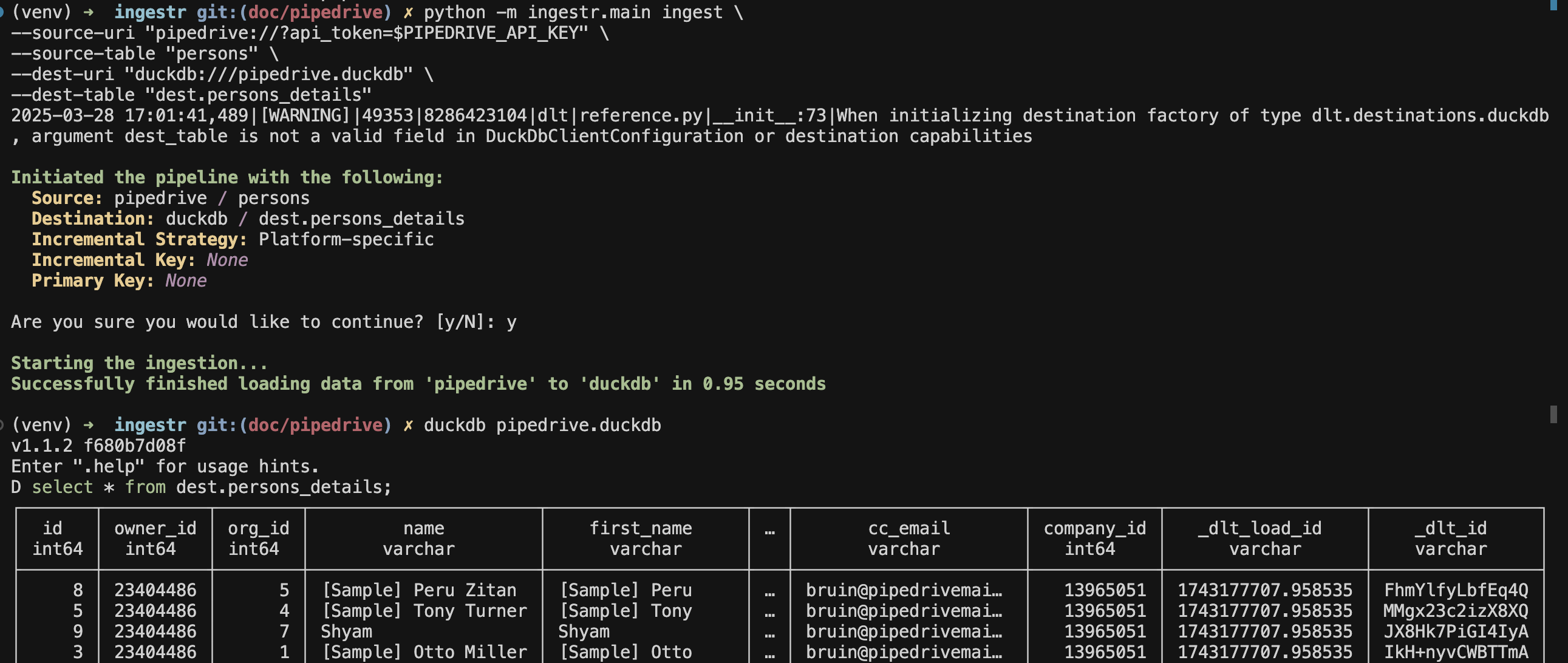
pipedrive source allows ingesting the following resources into separate tables:
| Table | PK | Inc Key | Inc Strategy | Details |
|---|---|---|---|---|
activities | id | update_time | merge | Refers to scheduled events or tasks associated with deals, contacts, or organizations |
deals | id | update_time | merge | Refers to potential sale or transaction that you can track through various stages |
persons | id | update_time | merge | Refers individual contacts or leads that can be linked to sales deals |
organizations | id | update_time | merge | Refers to company or entity with which you have potential or existing business dealings. |
products | id | update_time | merge | Refers to items or services offered for sale that can be associated with deals |
users | id | update_time | merge | Refers to Individual with a unique login credential who can access and use the platform |
Use these as --source-table parameter in the ingestr ingest command.