Editor Experience
These in-editor features appear automatically based on file context or environment setup, helping you take quick action without leaving the editor.
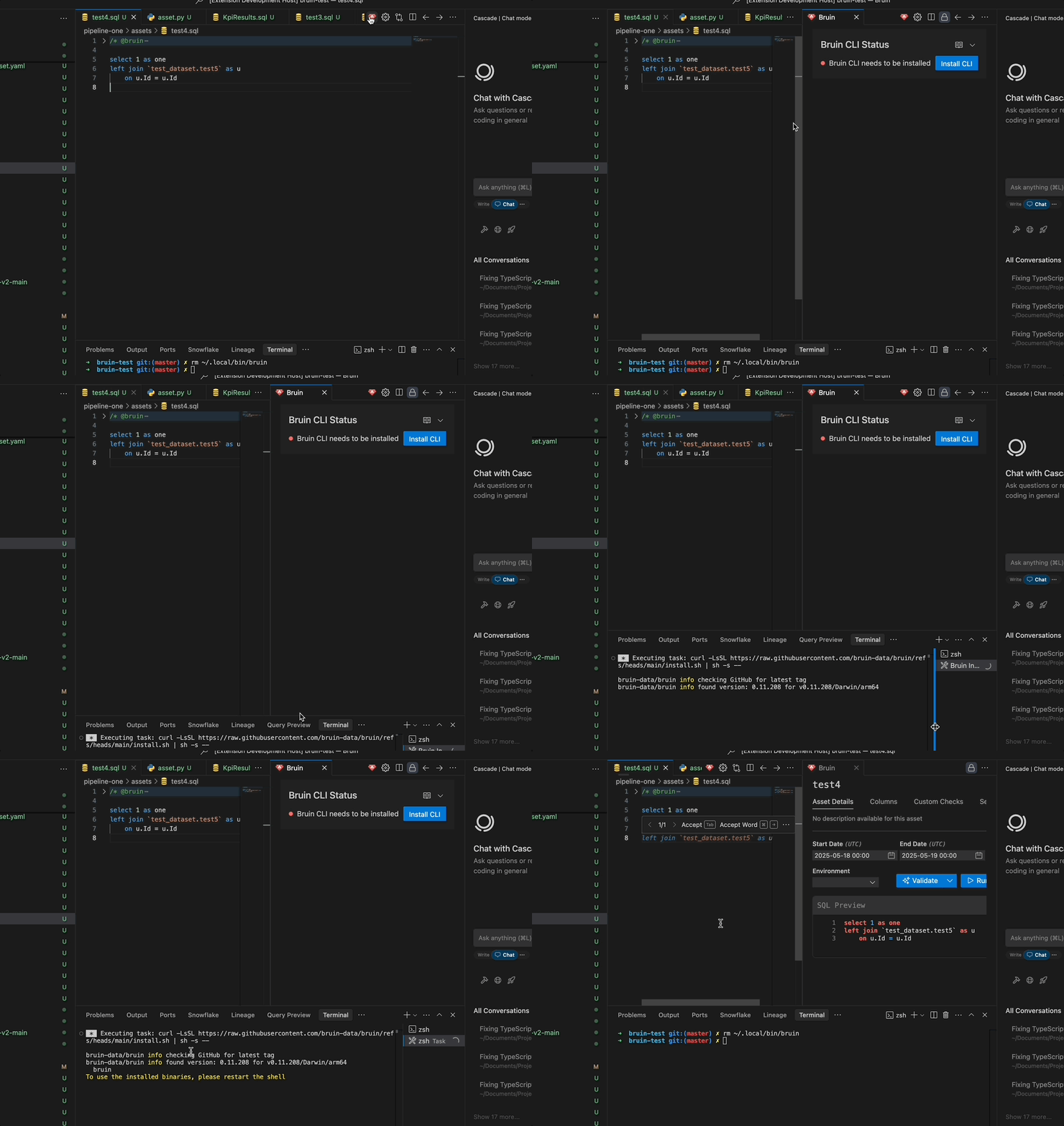
CLI Installation Prompt
If the Bruin CLI is not installed, the extension helps you get set up with minimal friction.
Trigger Condition
- Triggered when you click the Render button and the CLI is missing.
How It Works
- An alert is shown in the side panel.
- A "Install CLI" button allows you to install the CLI immediately.
File Conversion
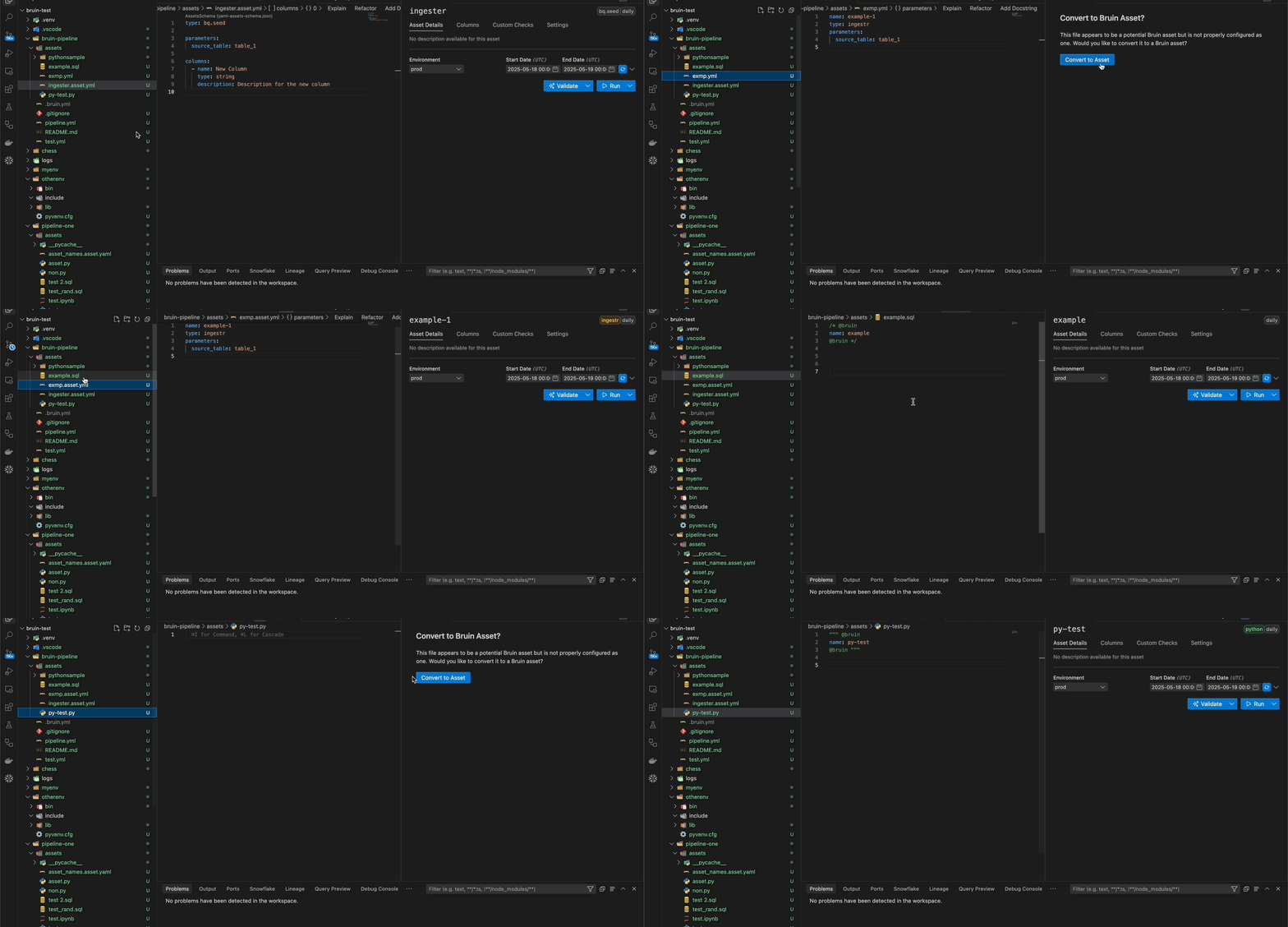
When you open a file that isn't yet a Bruin asset but is eligible for conversion, the extension displays an alert offering a conversion option.
Eligible File Types:
.sqland.py: Converted using thepatch-assetcommand..yml: Converted by renaming to*.asset.yml.
How It Works:
- An alert appears when an eligible file is opened.
- A "Convert to Asset" button is provided to initiate the conversion directly.
Query Preview CodeLens
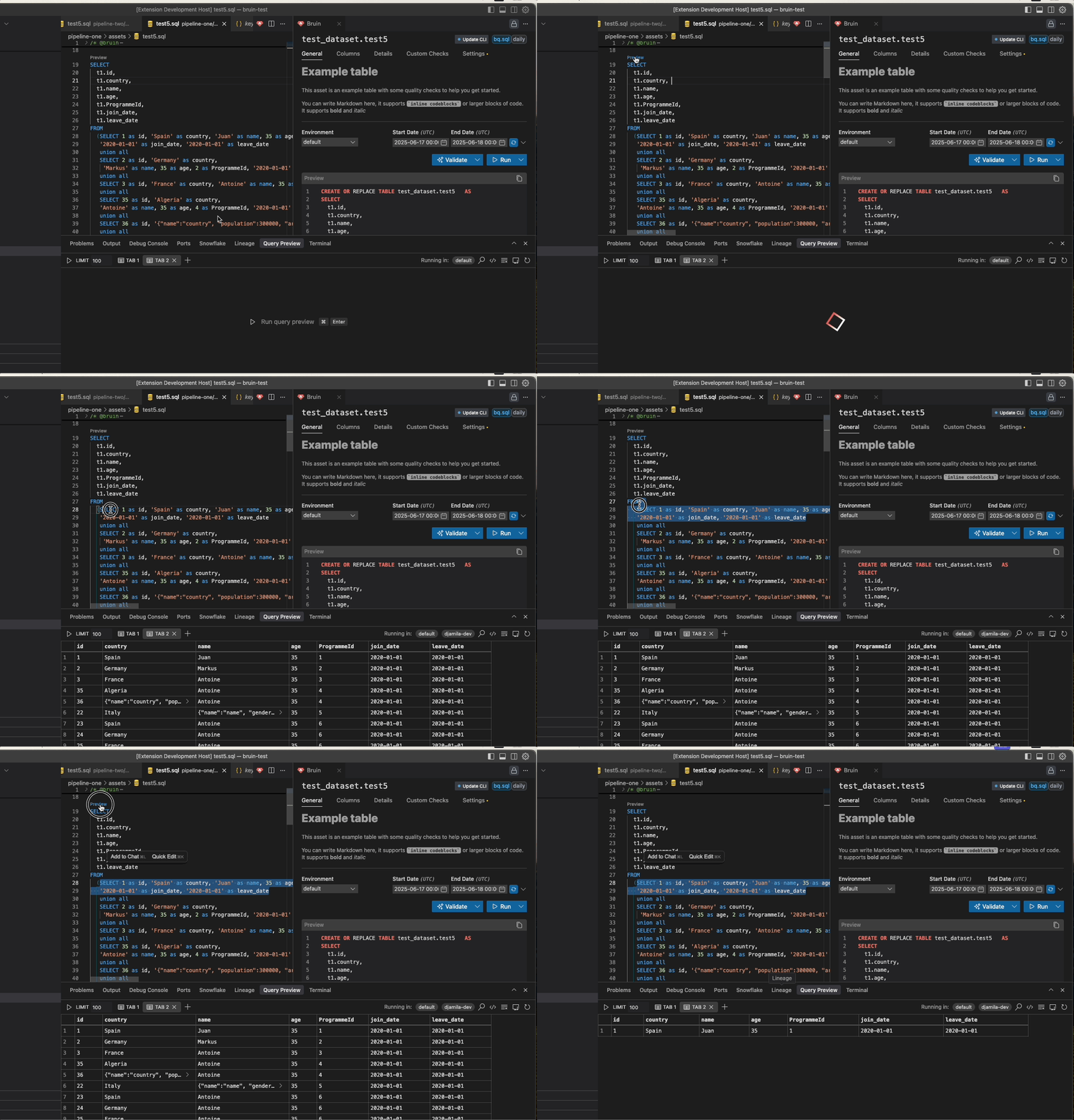
The extension offers an inline "Preview" button, leveraging CodeLens functionality, which appears above top-level queries in your SQL files. This feature provides a direct access to query previews from within the editor.
- Functionality
- The "Preview" button is automatically displayed above each top-level query in your SQL files.
- Clicking the button initiates query execution, displaying the results in the Query Preview Panel within the current tab.
- This feature replicates the functionality of the Query Preview Panel.
- Subquery Functionality
- When a subquery is selected and the "Preview" button is clicked, the results of the subquery are displayed.
Language Server Protocol (LSP) Features
The extension provides intelligent autocomplete and validation for Bruin asset files through Language Server Protocol integration.
Autocomplete Features
- Materialization Completions: Suggests materialization types (table, view, none) and strategies
- Column Suggestions: Suggests existing column names for partitioning and clustering
- Dependency Completions: Suggests pipeline assets from your current pipeline for dependencies
- Asset Properties: Autocomplete for asset structure and YAML formatting
- Context-Aware: Shows relevant suggestions based on your current position in the file
Validation Features
- Real-time Validation: Checks asset structure and required fields as you type
- Error Highlighting: Highlights problematic code sections
- Strategy Validation: Validates fields based on your chosen materialization strategy
Smart Features
- Section Detection: Identifies when you're in materialization, dependencies, or other sections
- Indentation Help: Validates proper YAML indentation
- Descriptive Help: Provides detailed descriptions for each completion option
- Dependency Navigation: Dependencies appear as clickable links (underlined)
- Hover shows tooltip with "Go to [dependency_name]"
- Clicking opens the dependency file in the editor