Start from an Existing Snapshot
Bruin Cloud feature
This page is an addendum to Streams, a Bruin Cloud feature. Read that page first: this one only covers what's different.
A stream normally copies the source tables before it starts replicating changes. If you already loaded that data into the destination yourself, you can skip the copy: the stream adopts your data and replicates only the changes made after it.
This is available for PostgreSQL sources only.
The one rule that matters
The data you load and the point where the stream starts must come from the same PostgreSQL snapshot. The steps below guarantee this. If they don't match, changes are lost silently.
These do not work:
- An LSN read after the load, for example with
pg_current_wal_lsn(). - A replication slot created after an unrelated export.
- Aurora or RDS snapshots and S3 exports.
- A plain
pg_dumpwithout--snapshot. - An export taken from a read replica.
Requirements
- Source: PostgreSQL, prepared as described in Prepare the source.
- Destination: BigQuery, Snowflake, PostgreSQL, or StarRocks. Redshift and Azure Synapse are not supported.
- Tables: an explicit list of tables, each with a primary key. Whole-database streams are not supported.
- Publication: a publication you create and own. See step 1.
Steps at a glance
| Step | Where | What |
|---|---|---|
| 1 | Source database | Create a publication. |
| 2 | Bruin Cloud | Create the stream as a draft with Never snapshot. Copy its replication slot name. |
| 3 | Source database | Create the slot and export a snapshot. Note the LSN. |
| 4 | Destination | Load every table from that snapshot. |
| 5 | Bruin Cloud | Save the LSN and start the stream. |
1. Create a publication
On the source database, create a publication that contains every table you will stream:
CREATE PUBLICATION bruin_pub FOR TABLE public.orders, public.customers;Don't use row filters or column lists. Create the publication before the replication slot in step 3.
2. Create the stream as a draft
Create the stream as described in Create a stream, with these differences:
- Tables: choose Selected tables and list the same tables as in your publication.
- Destination: note the destination table names in Destination. You load your data into exactly these tables in step 4.
- Options: see below.
Options
- Under Snapshots, select Never snapshot — use a preloaded destination.
- Under Publication, enter the publication from step 1, for example
bruin_pub.
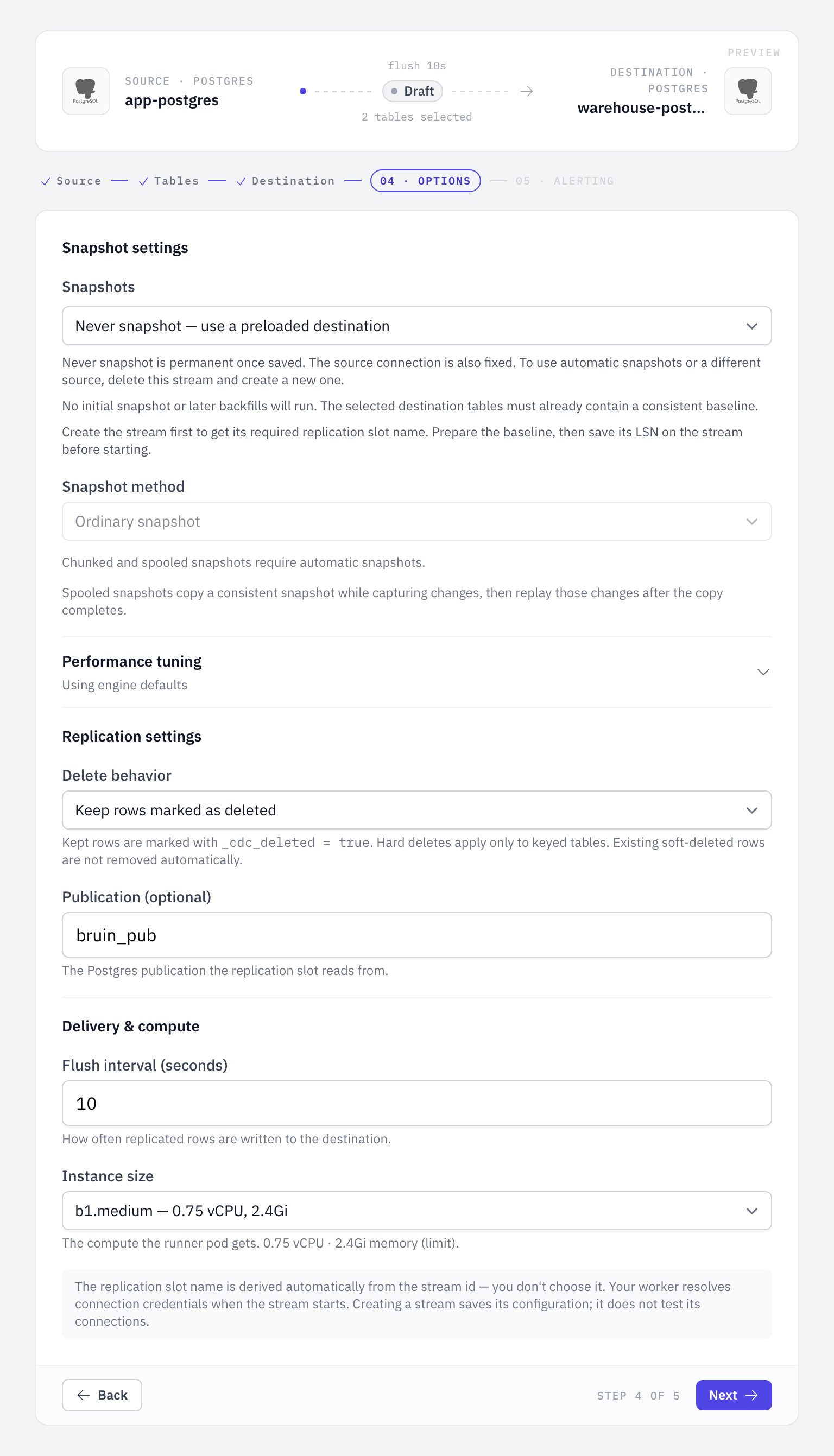
Click Next, then Create stream. The stream is created as a draft and does not start.
WARNING
After the first start, you can't change Never snapshot, the source, the tables, the destination, or the publication. To change any of them, delete the stream and create a new one.
Copy the replication slot name
The stream page shows the setup checklist and the replication slot name the stream will use, for example bruin_cdc_27b7718f2bd8423c8d022909c465715e. Click Copy.
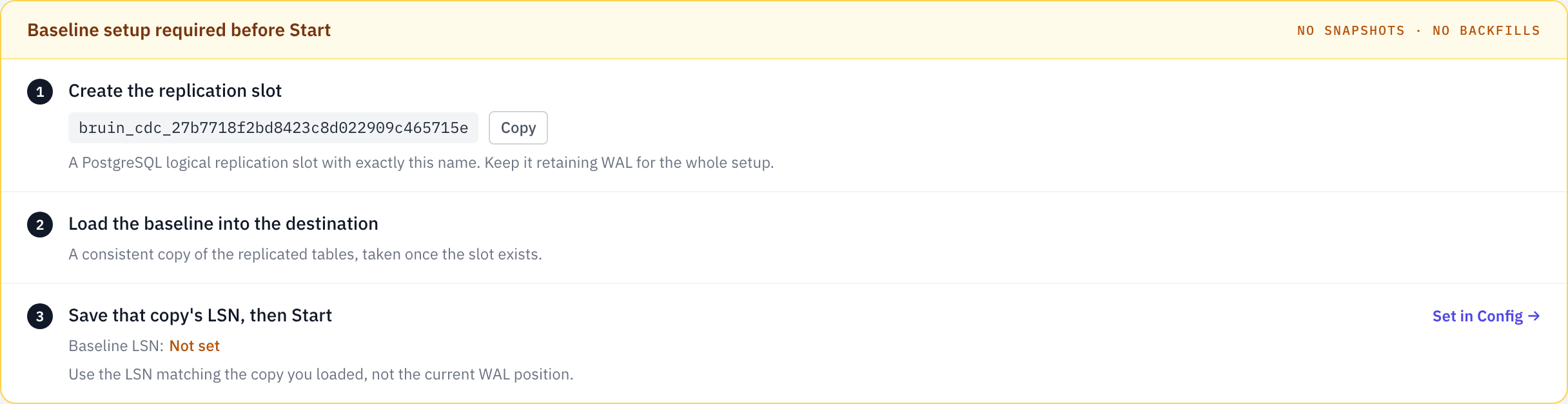
3. Create the slot and export the snapshot
Open a replication session to the source database. Keep it open and idle until step 4 is finished:
psql -X 'postgresql://USER:PASSWORD@HOST:5432/DB?replication=database'Create the slot with the exact name from step 2:
CREATE_REPLICATION_SLOT bruin_cdc_27b7718f2bd8423c8d022909c465715e LOGICAL pgoutput EXPORT_SNAPSHOT;PostgreSQL returns:
                 slot_name                  | consistent_point |    snapshot_name    | output_plugin
--------------------------------------------+------------------+---------------------+---------------
 bruin_cdc_27b7718f2bd8423c8d022909c465715e | 0/16B6C50        | 00000003-0000001B-1 | pgoutput
Save both values from your output:
snapshot_name: you load the data from this snapshot.consistent_point: this is your Baseline LSN.
DANGER
Don't run any other command in this session. Running another command or closing the session invalidates the snapshot.
4. Load the data into the destination
Load every selected table from the same snapshot_name. Use whichever option fits your destination.
ingestr ingest \
  --source-uri "postgres://USER:PASSWORD@HOST:5432/DB?snapshot=00000003-0000001B-1" \
  --source-table public.orders \
  --dest-uri "<destination uri>" \
  --dest-table analytics.public_orders \
  --incremental-strategy replace
# Repeat for each table with the same snapshot name.# PostgreSQL destinations. Rename the tables to the destination names afterwards.
pg_dump --snapshot=00000003-0000001B-1 \
-t public.orders -t public.customers \
"postgresql://USER:PASSWORD@HOST:5432/DB" | psql "<destination uri>"-- Read each table inside a transaction that imports the snapshot.
BEGIN ISOLATION LEVEL REPEATABLE READ;
SET TRANSACTION SNAPSHOT '00000003-0000001B-1';
COPY public.orders TO STDOUT;
COMMIT;The destination tables must:
- Contain all rows and all columns of the source tables, with no filters.
- Have the same primary key as the source tables.
- Use the names shown in Destination.
When every load has succeeded, close the replication session with \q. Don't drop the slot. It holds the changes made since the snapshot.
5. Save the LSN and start
On the stream page, open Config. Enter the consistent_point from step 3 in Baseline LSN and click Save.
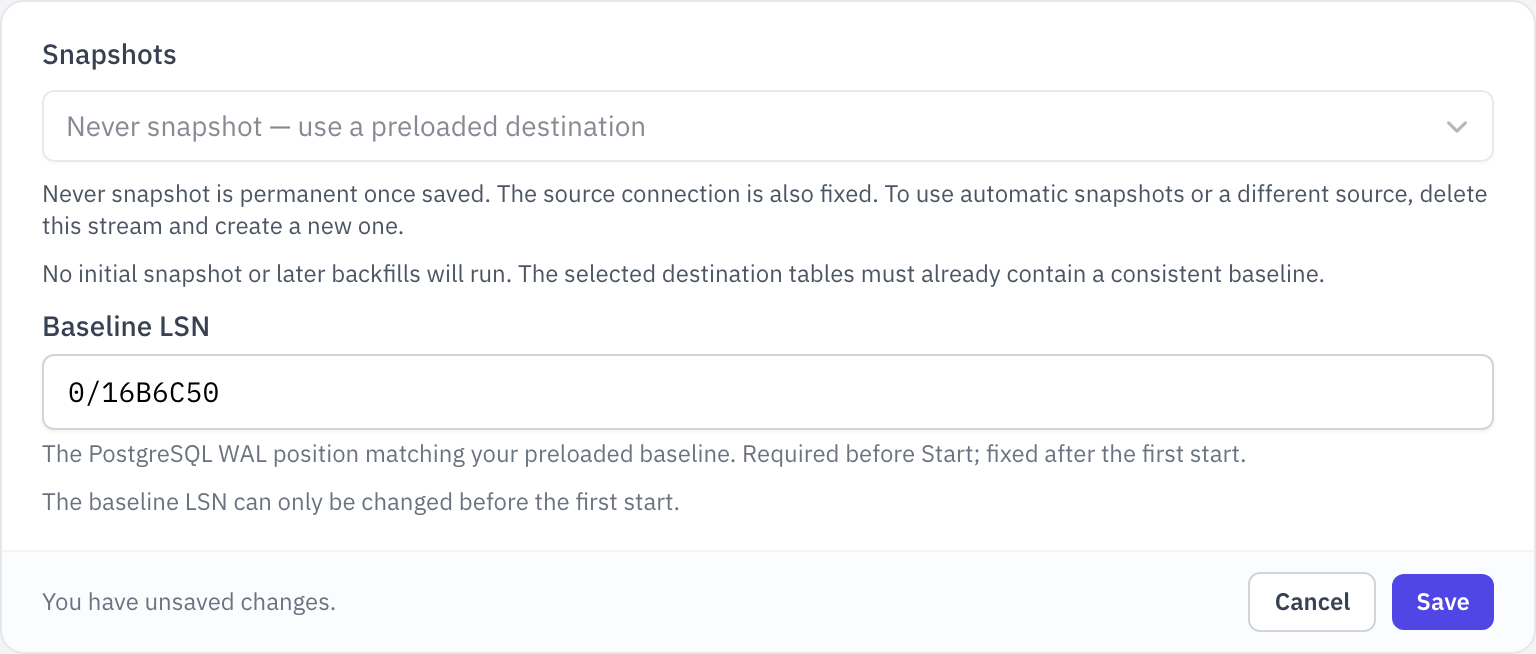
Then open Actions and click Start.
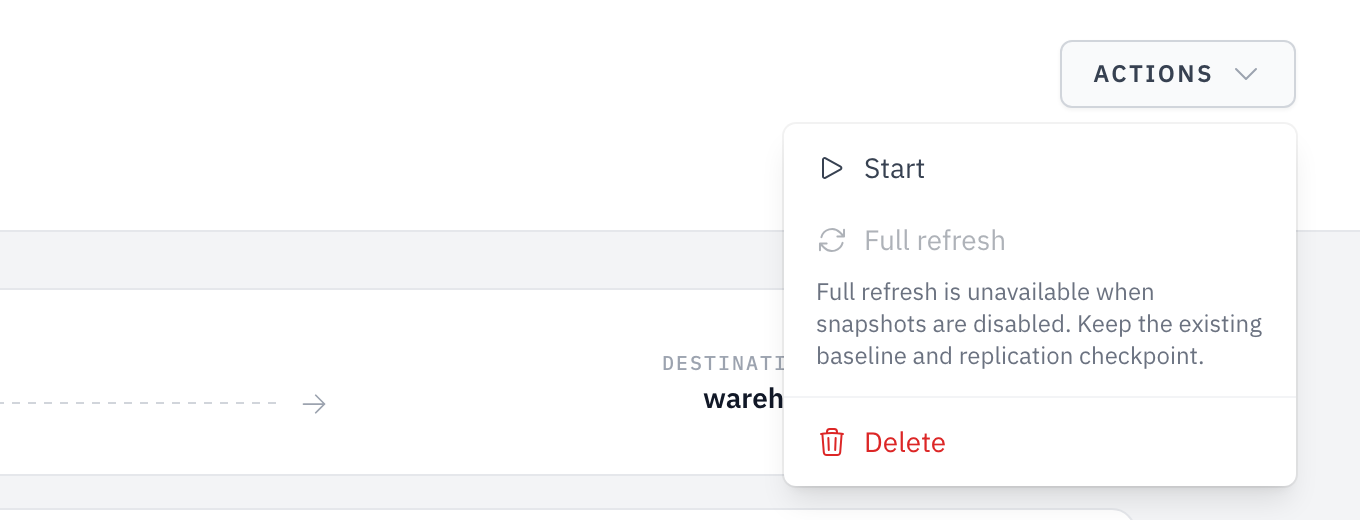
The stream adopts the tables you loaded and applies every change made since the snapshot. After a pause or restart, it continues from its latest saved position, never from the baseline again.
Good to know
WAL retention: the slot keeps WAL on the source from step 3 onwards. For long loads, watch disk space and
max_slot_wal_keep_size. If the following query returnslost, start over with a new stream:sqlSELECT wal_status FROM pg_replication_slots WHERE slot_name = '<slot name>';Rows you loaded have empty CDC columns until they change. To select live rows, filter with
COALESCE(_cdc_deleted, false) = false.Disabled for these streams: full refresh, backfills, and deleting the slot when pausing.
TRUNCATEon the source still empties the destination table.Adding tables later: create a new stream. Bruin never changes your publication; add tables to it yourself with
ALTER PUBLICATION bruin_pub ADD TABLE ....A load fails:
- If the session from step 3 is still open, retry the load with the same snapshot.
- If the session closed before every load succeeded, delete the stream, which also removes its slot, and start over.
- Never mix data from two different snapshots.