Streams
Bruin Cloud feature
Streams are part of Bruin Cloud. They aren't available in the open-source Bruin CLI. Streams must be enabled for your team; if you don't see Catalog → Streams, contact Bruin.
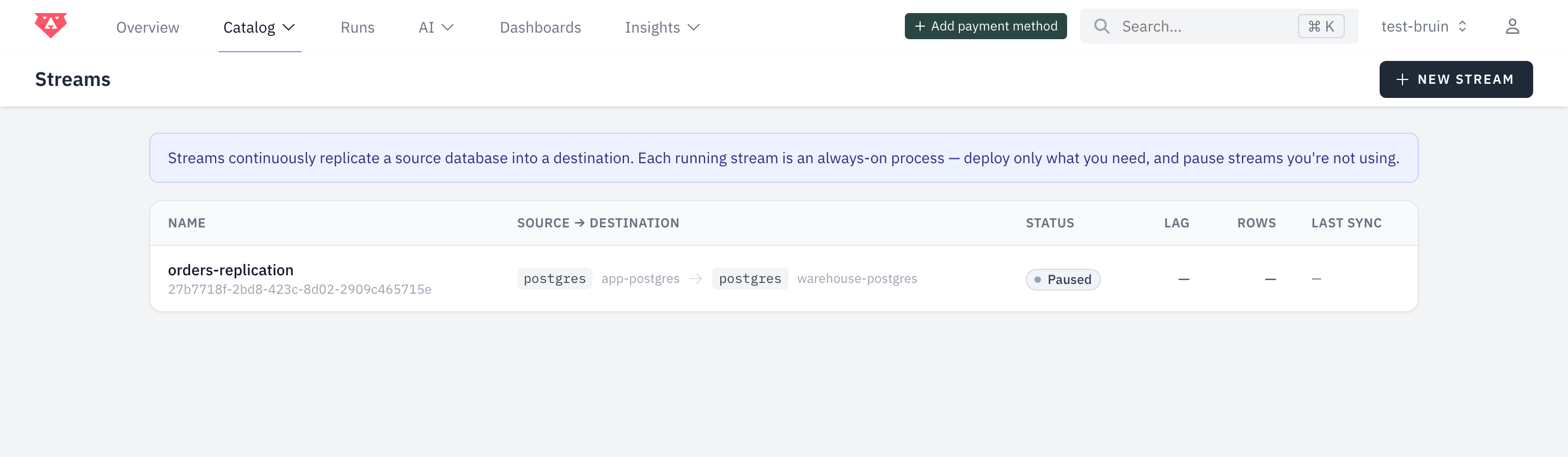
A stream continuously replicates tables from a source database into a destination using change data capture (CDC). It first copies the existing rows (the snapshot), then applies every insert, update, and delete as it happens. Each running stream is an always-on process, so pause the streams you don't need.
If you have already loaded the data into the destination yourself, skip the snapshot and see Start from an existing snapshot.
Supported sources and destinations
| Sources | Destinations |
|---|---|
| PostgreSQL, MySQL / MariaDB, SQL Server, Vitess, PlanetScale | BigQuery, Snowflake, Redshift, Azure Synapse, PostgreSQL, StarRocks |
Prepare the source
Each source needs CDC enabled before you create a stream:
| Source | Requirements |
|---|---|
| PostgreSQL | wal_level=logical and a free replication slot. The user needs the REPLICATION attribute and SELECT on the tables. Tables need a primary key or replica identity. |
| MySQL / MariaDB | binlog_format=ROW and binlog_row_image=FULL. The user needs replication privileges and SELECT. |
| SQL Server | Either Change Tracking enabled on the database and the table, or CDC enabled on the database and each table. |
| Vitess, PlanetScale | Access to the keyspace through vtgate (Vitess) or the PlanetScale API. |
See the ingestr CDC documentation for the exact setup of each database.
Create a stream
Go to Catalog → Streams and click New stream. The wizard has five steps.
1. Source
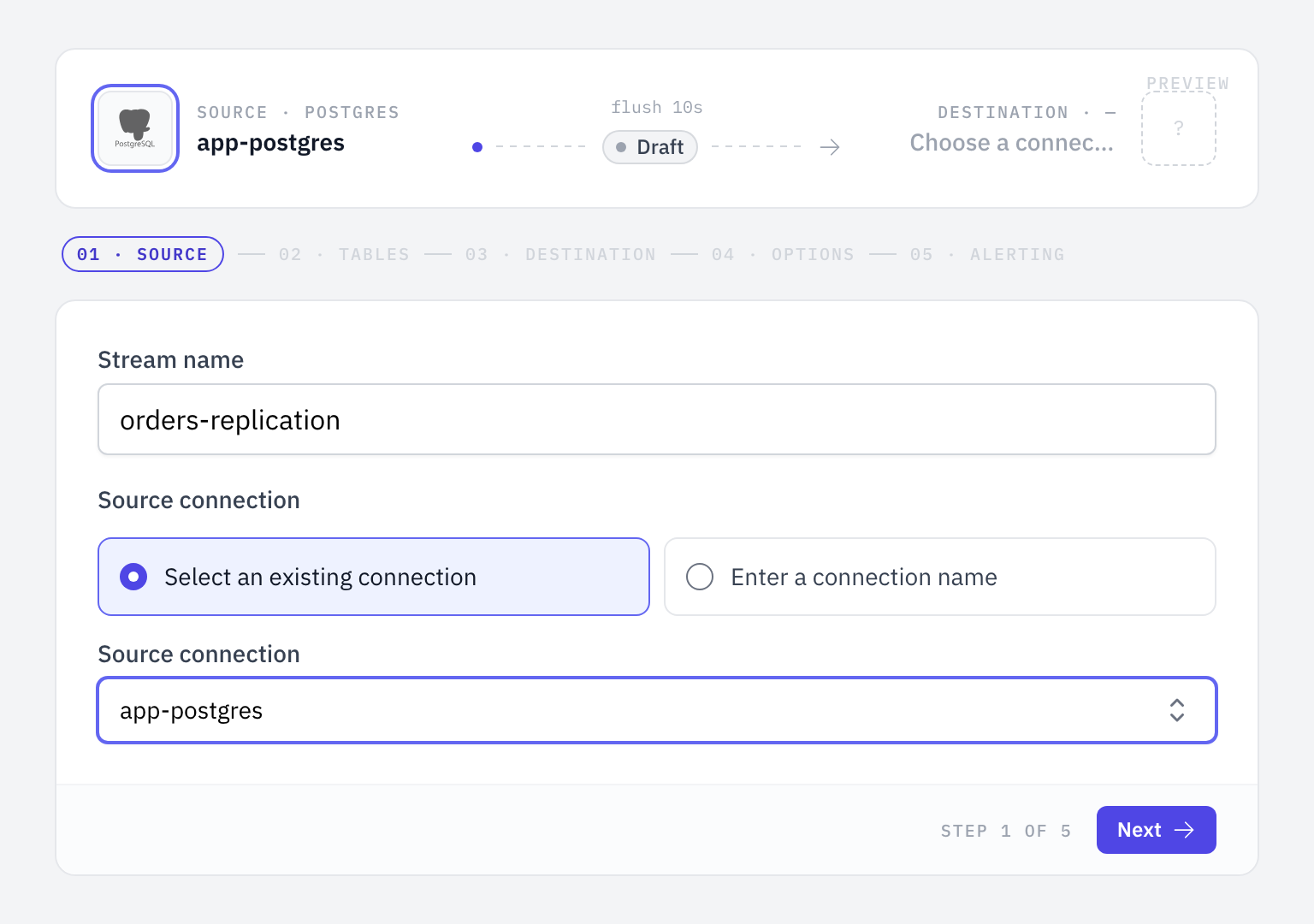
Enter a stream name and choose the source connection.
Streams running in your own infrastructure
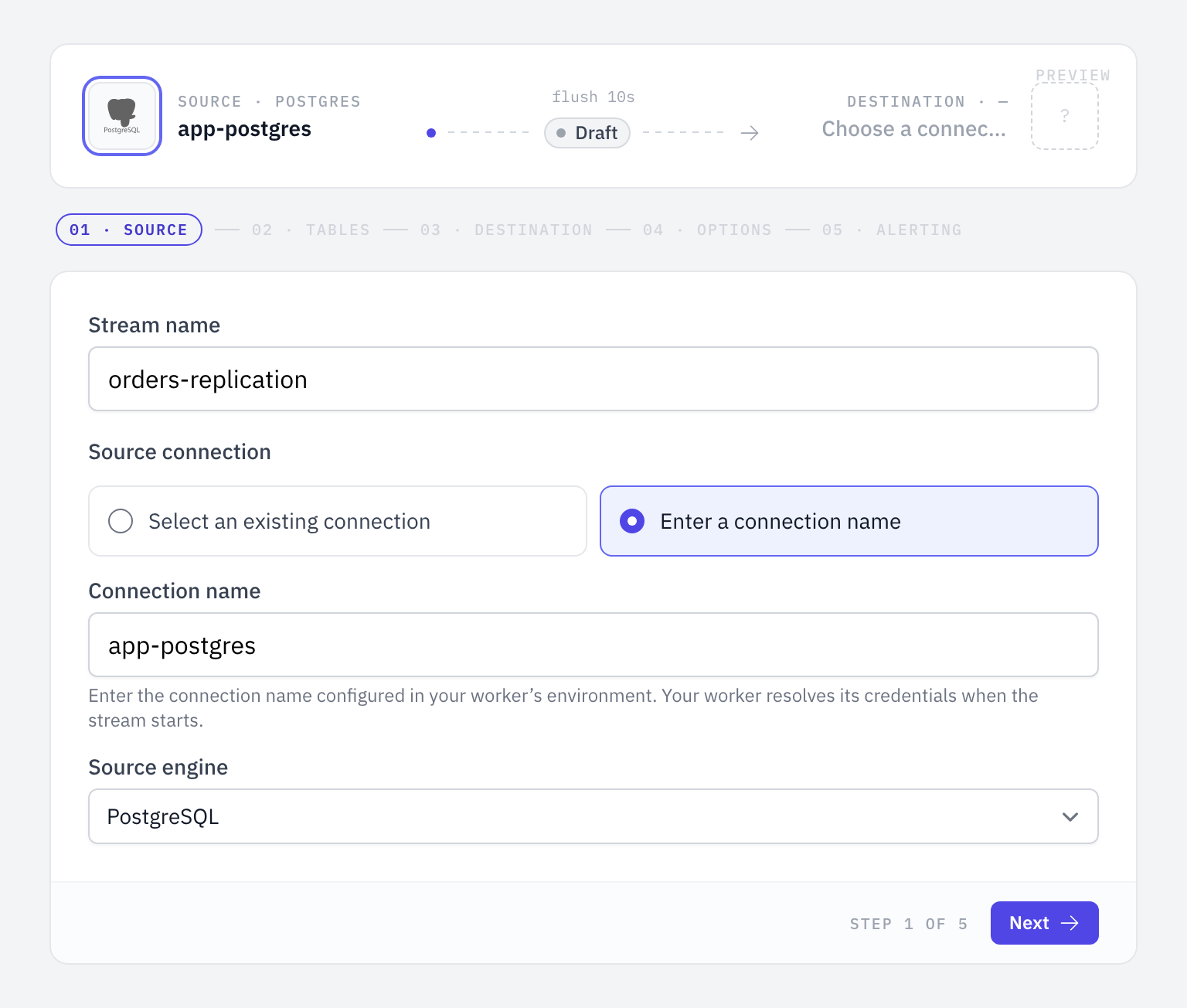
If the stream runs in your own infrastructure (hybrid deployment), you don't need to create the connection in Bruin Cloud. Choose Enter a connection name, type the name of the connection as configured in your environment, and select the engine. Your infrastructure resolves the credentials when the stream starts. The same option is available for the destination.
For SQL Server, also choose how changes are captured:
- Change Tracking is lightweight and needs a primary key, but replicates a single table.
- Log-based CDC keeps the full change history and can replicate several tables or the whole database.
2. Tables
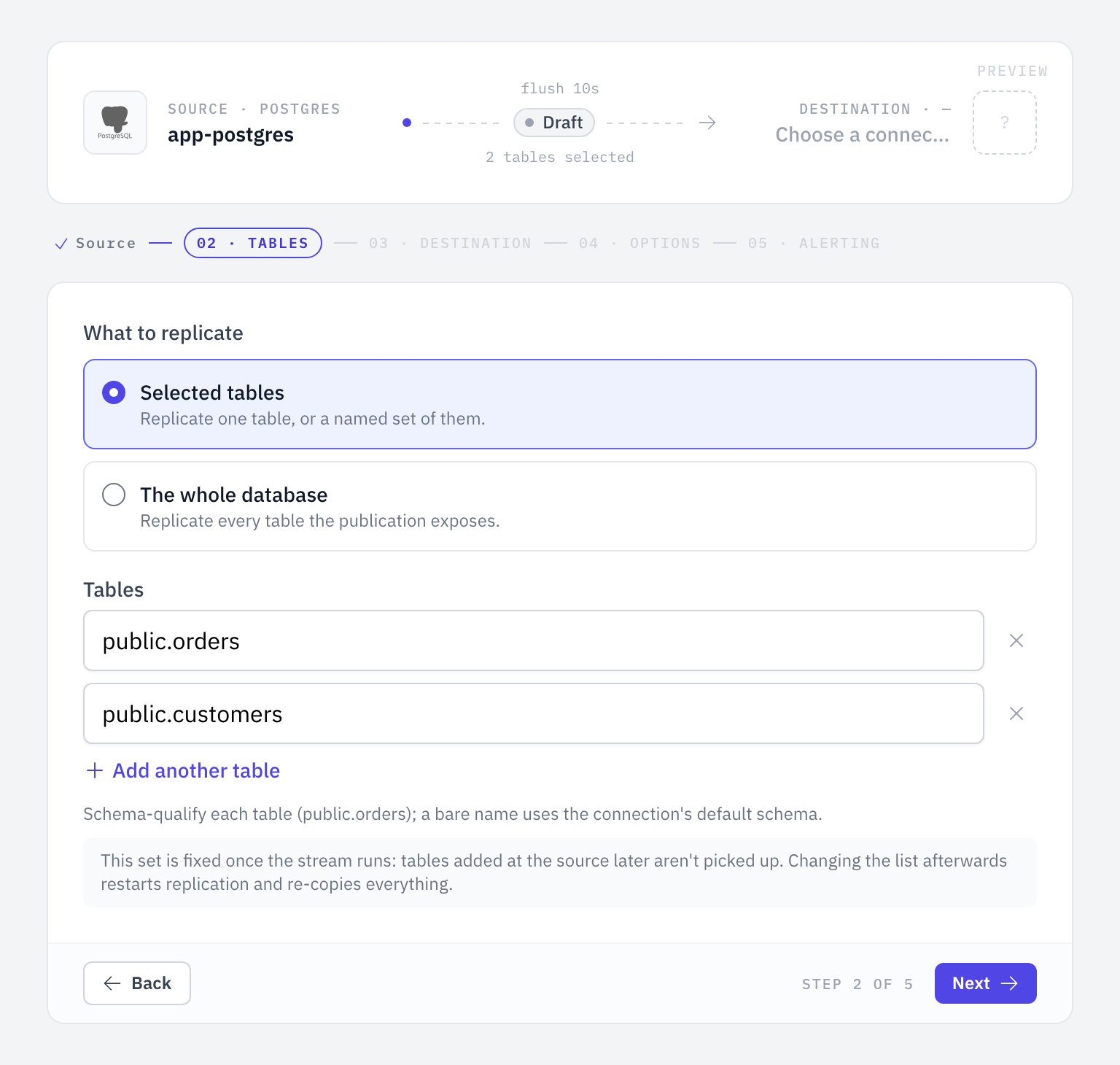
Choose what to replicate:
- Selected tables: one table or a list of tables. Schema-qualify each one, for example
public.orders. Tables added to the source later aren't picked up, and changing the list later re-copies everything. - The whole database: every table the publication exposes (PostgreSQL) or the database contains. New tables are picked up automatically.
3. Destination
Choose the destination connection and the dataset or schema the tables are written to.
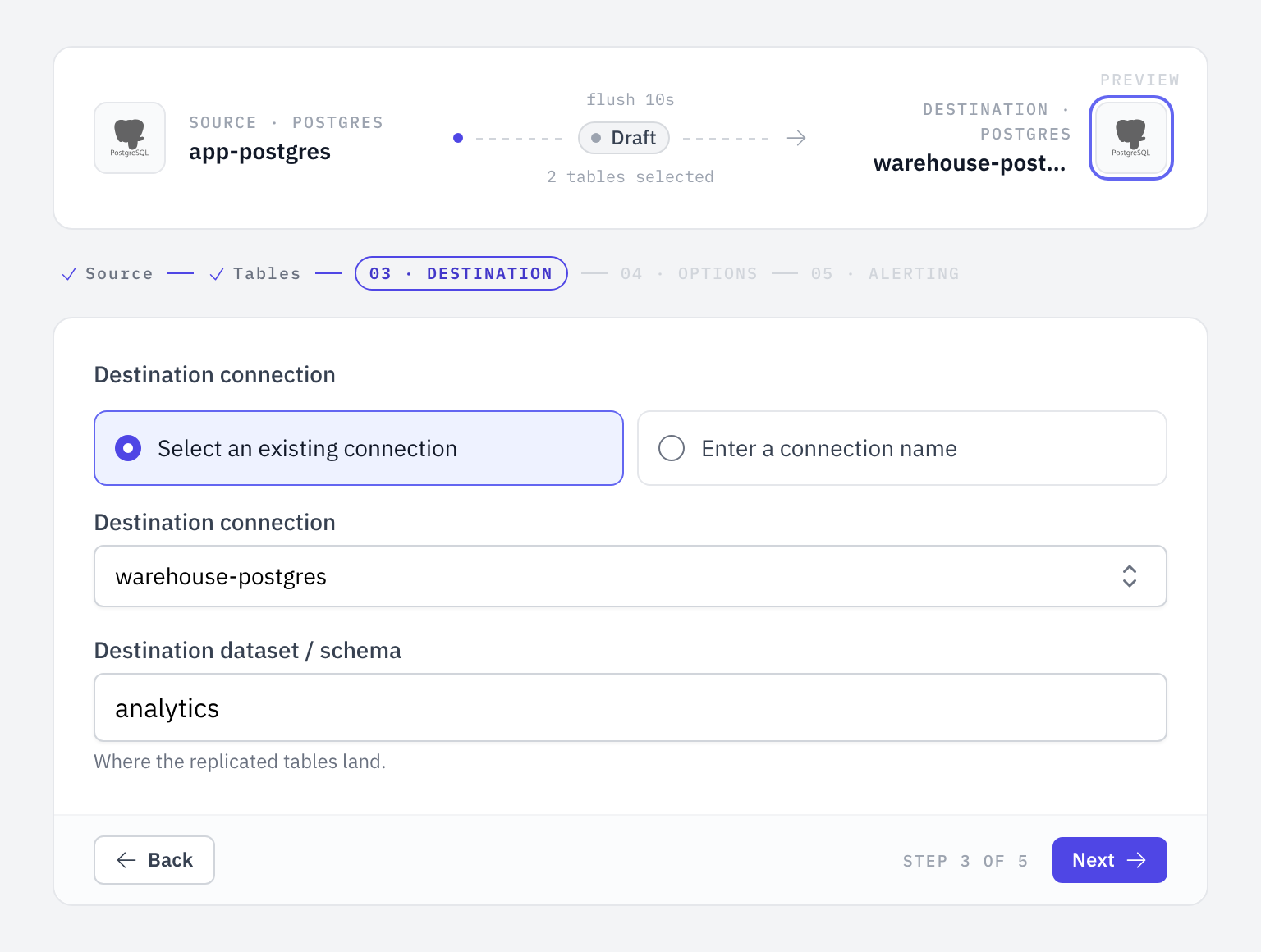
Destination tables are named like this:
| Stream has | Destination table |
|---|---|
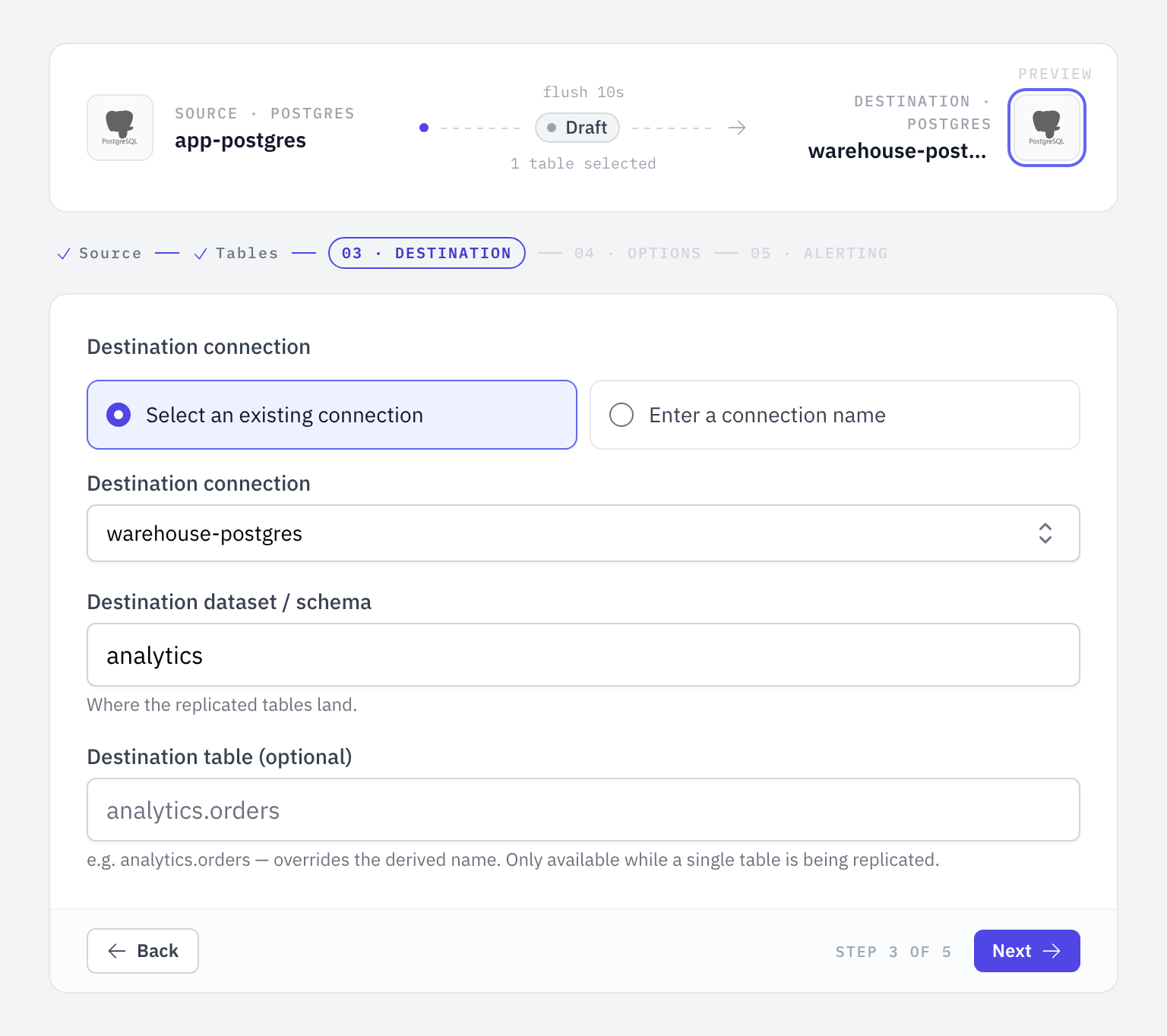
| 1 table | <dataset>.<table>, for example analytics.orders, or the Destination table you set |
| 2 or more tables | <dataset>.<source_schema>_<table>, for example analytics.public_orders |
When the stream has a single table, you can set the Destination table name yourself:
4. Options
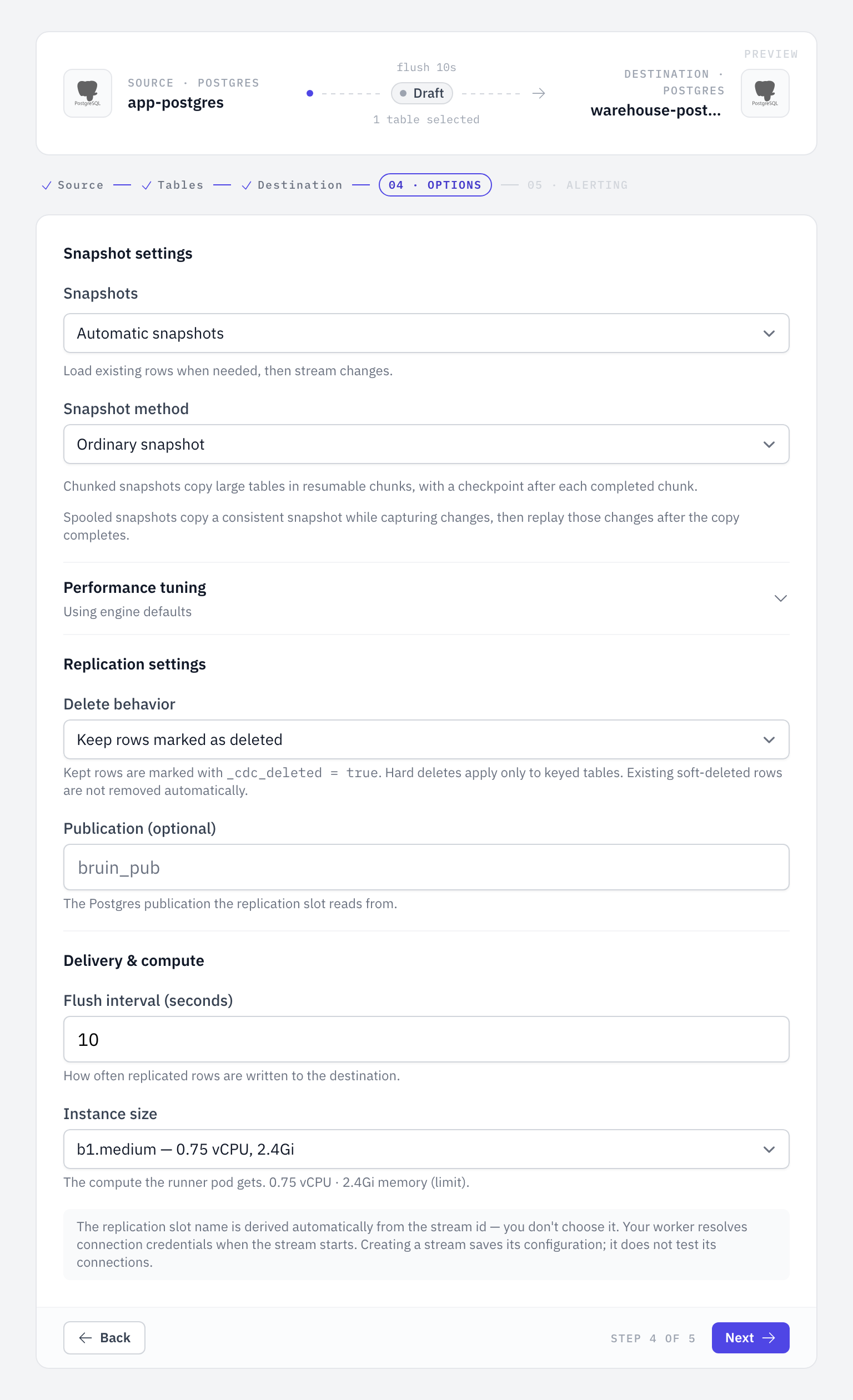
- Snapshots (PostgreSQL): keep Automatic snapshots to copy existing rows before streaming changes. Choose Never snapshot only if you loaded the data yourself; see Start from an existing snapshot.
- Snapshot method (PostgreSQL):
- Ordinary snapshot: the default.
- Chunked snapshot: copies large tables in resumable chunks, with a checkpoint after each chunk.
- Spooled snapshot: copies a consistent snapshot while capturing changes, then replays those changes after the copy.
- Delete behavior:
- Keep rows marked as deleted (default): deleted rows stay in the destination with
_cdc_deleted = true. - Remove deleted rows: deleted rows are removed from the destination.
- Keep rows marked as deleted (default): deleted rows stay in the destination with
- Publication (PostgreSQL, optional): the publication the stream reads from. Leave it empty to let Bruin manage one, or enter a publication you created and maintain yourself.
- Flush interval: how often replicated rows are written to the destination.
- Instance size: the compute for the stream's process.
The replication slot name is derived from the stream ID; you don't choose it.
5. Alerting
Optionally add Slack or email destinations for alerts, and adjust when the stream counts as degraded. Both can be changed later without pausing the stream.
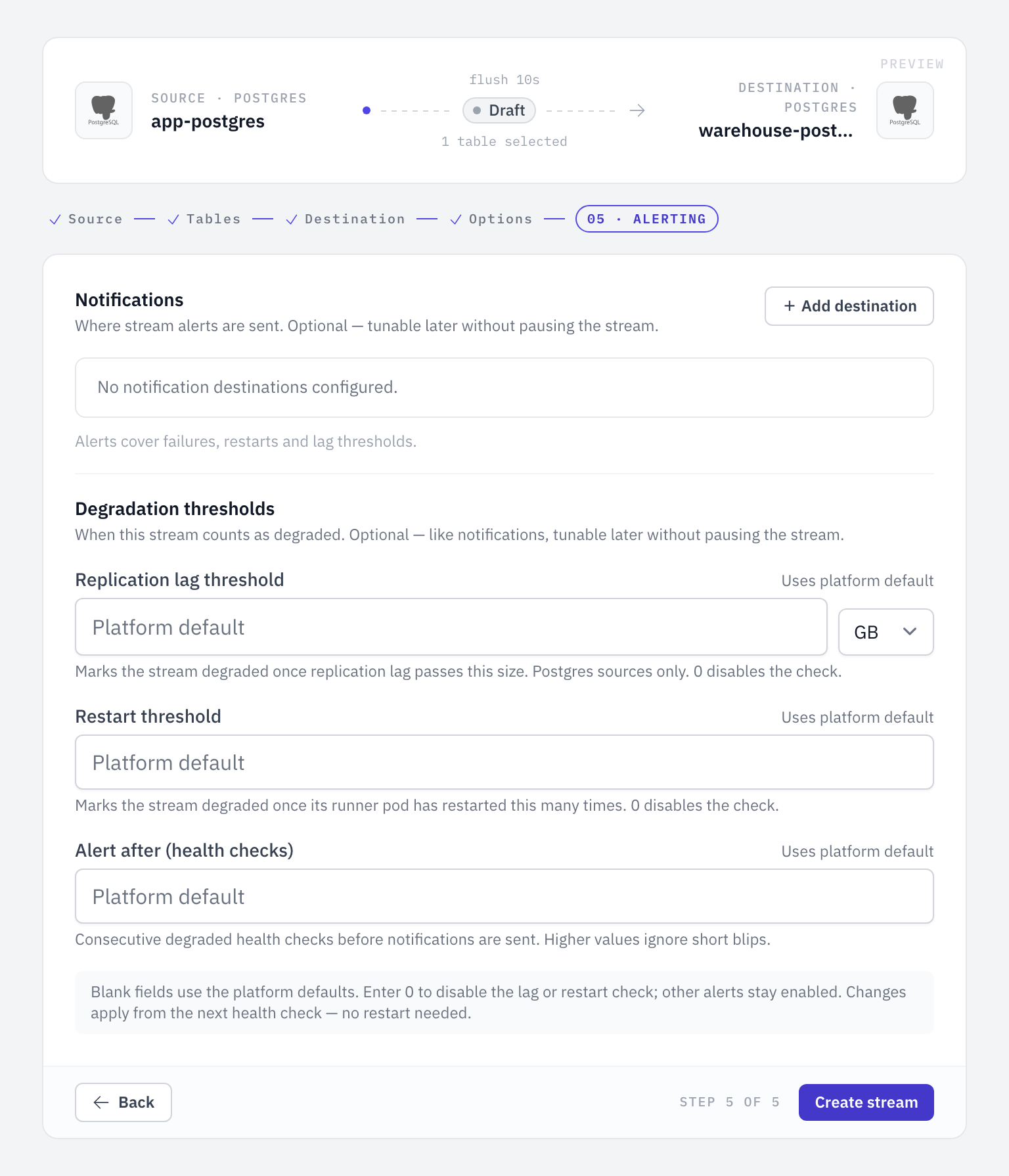
Click Create stream. The stream is saved but doesn't run yet. Creating a stream doesn't test its connections.
Start and manage a stream
Open the stream and use the Actions menu:
| Action | What it does |
|---|---|
| Start | Starts replication. The first start takes the snapshot, then streams changes. |
| Pause | Stops replication. The PostgreSQL replication slot is kept, so the stream resumes where it stopped. A kept slot retains WAL on the source while paused. You can also delete the slot when pausing; the next start may then need a fresh snapshot. |
| Resume | Continues from the last checkpoint. |
| Full refresh | Copies the selected tables again, replaces their destination contents, and continues streaming. Not available for Vitess and PlanetScale. |
| Delete | Deletes the stream and cleans up its replication slot. Destination data is kept. |
The stream page also has these tabs:
- Monitor: rows replicated, replication lag, and restarts over time.
- Logs: output from the stream's process.
- Config: edit the stream. Most settings can only be changed while the stream is paused. Alerting and degradation thresholds can be changed at any time.
Learn more
- Start from an existing snapshot: skip the initial copy when the destination is already loaded.
- Hybrid deployment: run streams in your own infrastructure.